

If you’re comparing property management software, AppFolio is likely one of the platforms you’ve come across. But it’s rarely the only option worth considering. So, what are the best alternatives to AppFolio?
In this guide, we compare five platforms across pricing, portfolio fit, features, and trade-offs to help you see which options best match how your business operates.
What We’ll Cover:
- Why property managers look for AppFolio alternatives
- What to look for when you compare platforms
- Five platforms side by side, with pricing and trade-offs
- How to choose and how to make the switch
Quick Comparison of AppFolio Alternatives
| Platform | Best fit | Published pricing? | What to know |
|---|---|---|---|
| Buildium® | Residential, association, and mixed portfolios | Yes | Broad accounting, leasing, maintenance, resident and owner tools, plus AI, automation, integrations, and no unit minimum |
| DoorLoop® | Smaller and growing residential portfolios | Yes | Lower starting price, but entry plans cap units and advanced features sit on higher tiers |
| Yardi Breeze® | Mixed residential and commercial portfolios | Yes | Low per-unit pricing, but monthly minimums apply and the ecosystem is more self-contained |
| Rent Manager® | Diverse or complex portfolios | No | Solid customization and reporting, but pricing requires a sales conversation |
| Propertyware® | Single-family and scattered-site portfolios | Yes | Built specifically for single-family portfolios, with monthly minimums and an implementation fee |
Why Property Managers Look for AppFolio Alternatives
AppFolio covers a wide range of property management workflows and portfolio types. Still, there are practical reasons a team might compare it with other platforms before committing.
- Unit minimums: AppFolio’s residential Core plan has a 50-unit minimum, which puts it out of reach for property managers below that threshold.
- Quote-based pricing: AppFolio does not publish standard plan rates, so you need to contact sales before you can compare its full cost against platforms with public pricing.
- Plan structure: More advanced capabilities, including expanded accounting, analytics, API access, and higher levels of support, sit within AppFolio’s Plus and Max plans.
- Different operating priorities: Some teams may place more weight on upfront pricing, a lower entry point, particular integrations, or workflows that better match how their business operates.
What to Look for in an AppFolio Alternative
The right AppFolio alternative should solve the problems that made you start looking in the first place, without creating new ones somewhere else. That means comparing more than feature lists and starting with the parts of the business that have the biggest impact on your team. Here are the areas worth weighing most closely:
- Property accounting: Look for trust accounting, bank reconciliation, owner statements, and property-level reporting that fit how your team manages the books.
- Pricing structure: Compare monthly minimums, per-unit charges, transaction fees, implementation costs, and which features require a higher-tier plan.
- Portfolio fit: Make sure the platform supports the property types you manage today and the ones you may add later.
- Maintenance workflows: Look for resident requests, work orders, vendor coordination, and status tracking in one system.
- Resident and owner access: Self-service portals can reduce routine calls and emails by giving residents and owners access to payments, requests, documents, and reports.
- Leasing and screening: Compare online applications, tenant screening, eSignatures, lease management, and renewal tools.
- Onboarding and support: Review what setup help is included, how support is delivered, and whether higher service levels require a more expensive plan.
- Integrations and API access: If your team relies on outside tools, compare available integrations and whether API access is included or limited to certain plans.
- AI and automation: Look at which repetitive tasks the platform can automate and whether those features are actually included in the plan you would use.
5 of the Best AppFolio Alternatives
Here are five platforms worth comparing, each with a different strength. For every option, we cover what it is, who it fits, standout features, one honest trade-off, and pricing with a source link so you can check the figures yourself.
1. Buildium
An AppFolio Alternative with Comprehensive Property Management Features
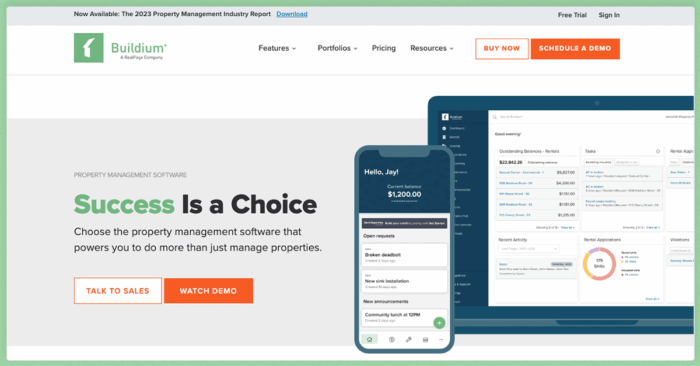
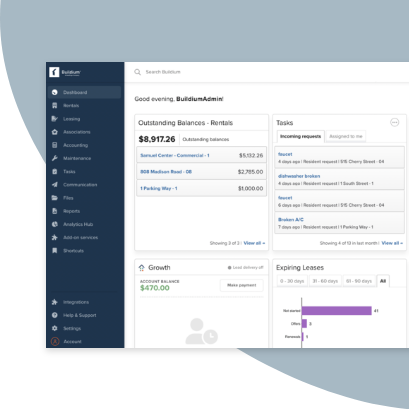
Buildium gives property managers a broader foundation than many of the alternatives on this list. It supports residential, association, and mixed portfolios, has no unit minimum, and gives growing teams more room to add automation, integrations, and advanced workflows over time.
Key Features
- Connected accounting and leasing tools, which means your team runs fewer disconnected systems and spends less time on double entry.
- Resident Center lets residents pay rent and submit requests themselves, which cuts down on calls to your office.
- Online rent payments and maintenance request management that keep money and work orders moving without as much manual follow-up.
- Published pricing that lets you compare costs before contacting a sales team.
- A marketplace of integrations and an open API on the Premium plan for teams that want to connect other tools.
- Agentic AI and automation tools that reduce repetitive work across communications, accounting, leasing, maintenance, and reporting.
In an AppFolio vs. Buildium comparison, the biggest difference is how much visibility and flexibility you get before you commit.
Notable trade-off: Buildium reserves some of its most advanced automation, open API access, and priority support for Premium, so teams should compare plan features against the workflows they actually need.
Pricing
Buildium has three pricing plans that scale by feature needs and portfolio stage:
- Essential starts at $62/month and includes basic accounting, maintenance, and leasing features, basic communications, Buildium’s AI Assistant, and standard and bulk reporting.
- Growth starts at $192/month and adds more customization, reporting automation, enhanced tenant screening, lower-cost eSignatures and EFT transactions, AI-enhanced communications, business analytics, and live phone support.
- Premium starts at $400/month and includes Buildium’s more advanced features, free inspections, unlimited eSignatures, first-year free incoming EFT transactions, the full AI and automation suite, Open API, and priority support.
Growth and Premium customers use customized onboarding, which includes data import and a training plan built around their business needs.
2. DoorLoop
A Platform for Growing Property Managers
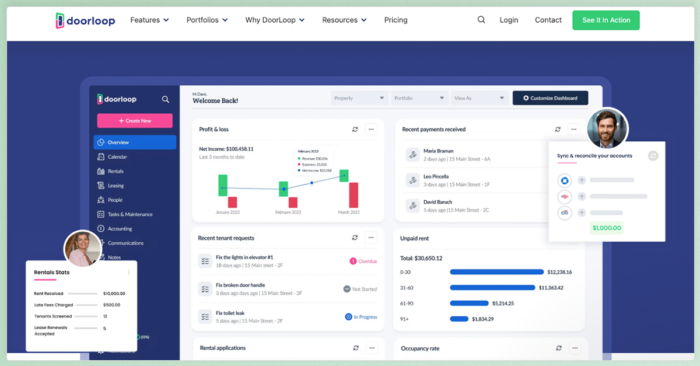
DoorLoop starts with a Starter plan for portfolios of up to 10 units, then adds more advanced accounting, automation, maintenance, and support on Pro and Premium. That tiered setup can work for smaller teams, but the feature set changes pretty quickly as you move up plans.
Key Features
- Core property management tools: Accounting, online rent collection, tenant and owner portals, and lease management cover the main day-to-day workflows.
- Leasing tools: Rental applications, tenant screening, eSignatures, and listing features support the leasing process.
- Maintenance tracking: Residents can submit requests online, and managers can track work orders and vendor activity in the platform.
- Higher-tier features: Pro and Premium add capabilities such as live bank connections, more advanced accounting, vendor payments, and workflow automation.
- Integrations: DoorLoop connects with tools such as QuickBooks Online and Zapier, with API access available for teams that need additional flexibility.
Notable trade-off: DoorLoop’s Starter plan is limited to 10 units, and teams that need more advanced accounting, automation, customization, or support will need to move into higher-priced tiers.
Pricing
- Pricing starts at $69/month billed annually for Starter, which supports up to 10 units.
- Pro starts at $149/month billed annually
- Premium starts at $209/month billed annually.
If billed monthly, those plans start at $99, $189, and $239 per month, respectively.
3. Yardi Breeze
An AppFolio Alternative for Mixed Residential and Commercial Portfolios
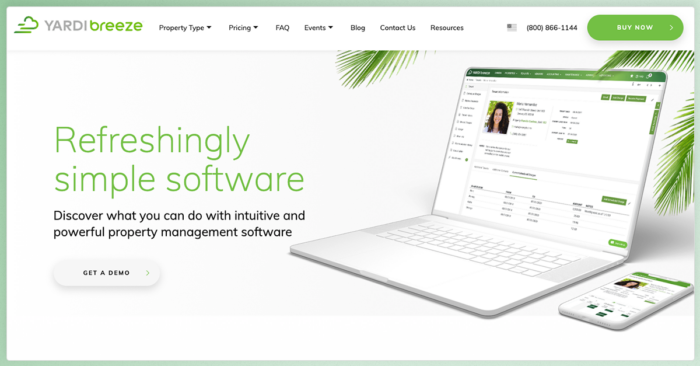
Yardi Breeze gives residential and commercial managers a simpler way into the Yardi ecosystem, with built-in accounting and per-unit pricing. Breeze Premier extends that setup with broader reporting and support for more specialized property types.
Key Features
- Core property management tools: Accounting, online payments, maintenance, owner tools, and resident-facing features cover the main day-to-day workflows.
- Residential leasing: Online applications, vacancy tracking, leasing tools, and listings support the rental cycle from marketing through move-in.
- Commercial functionality: CAM recovery, percentage rents, and sales tracking make Breeze relevant for teams managing commercial space alongside residential.
- Breeze Premier: Higher-tier plans add broader reporting, corporate accounting, invoice processing, and support for more specialized property types.
- Built-in Yardi ecosystem: Breeze is designed to handle more within Yardi’s own system, which can work well for teams that prefer a more self-contained setup.
- Published per-unit pricing: Residential and commercial rates are public, though monthly minimums apply.
Notable trade-off: Breeze keeps a lot of the workflow inside Yardi, which can be a strength for some teams but a limitation for others. If you need broader third-party integrations or more advanced reporting and accounting, you may need to step up to Breeze Premier or look at a more flexible platform.
Pricing
- Yardi Breeze starts at $1 per unit per month for residential portfolios with a $100 minimum, and $2 per unit per month for commercial portfolios with a $200 minimum.
- Breeze Premier starts at $1 per unit per month for residential with a $400 minimum
- Commercial Premier pricing requires a quote from their team.
4. Rent Manager
A Customizable Platform for Mixed Portfolios
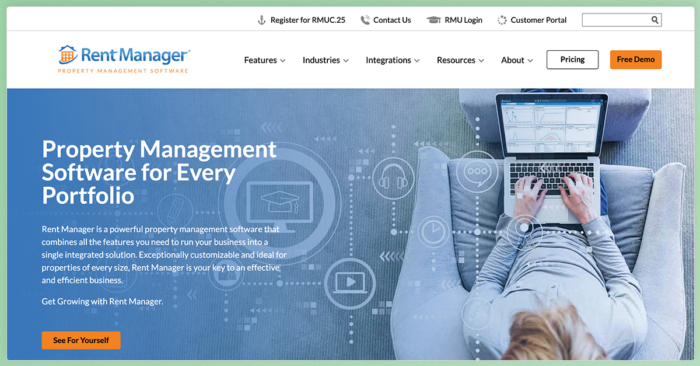
Rent Manager is built for teams that need more control over how the software is configured. It supports residential, commercial, and specialty portfolios, with a strong emphasis on custom fields, reporting, workflows, and integrations.
Key Features
- Accounting and reporting: Double-entry accounting, CAM reconciliation, and more than 450 built-in reports support detailed financial and operational reporting.
- Custom workflows and fields: Teams can tailor fields, processes, and reports around more specialized operating needs.
- Leasing and resident tools: Online applications, eSignatures, portals, and work order management cover the main property management workflows.
- Integrations and API: Rent Manager offers more than 200 integrated providers, along with read/write API access for custom connections.
- Higher-tier AI tools: Premium adds features such as AI-powered writing, AR/AP tools, voicemail insights, and report analysis.
Notable trade-off: Rent Manager’s flexibility can be useful for complex portfolios, but that same level of customization may be more than some teams need. Pricing is also quote-based, so you have to talk with sales before you can compare total cost against platforms with published rates.
Pricing
Pricing is quote-based, charged per unit with monthly minimums across its Basic, Plus, and Premium bundles, with no public standard rate.
5. Propertyware
An AppFolio Alternative for Single-Family Rental Management
Propertyware focuses on single-family and scattered-site portfolios, with more room to customize fields, reports, dashboards, and workflows around those operations. That specialization can be useful for teams with more complex SFR processes, though its pricing structure is less forgiving for smaller portfolios.
Key features:
- Single-family focus: Propertyware is designed specifically around single-family rental operations rather than a broad mix of property types.
- Customization: Custom fields, dashboards, reports, and workflows give teams more control over how the system is configured.
- Accounting and owner tools: Accounting, owner and tenant portals, payments, screening, and reporting cover the main operational workflows.
- Leasing and maintenance: eSignatures, inspections, maintenance projects, vendor portals, and listing tools support work across the resident lifecycle.
- Two-way API access: Propertyware offers an open API for teams that need to push and pull data between outside systems, but it costs an additional $1 per unit per month.
One honest trade-off: Propertyware’s pricing structure can get expensive quickly for smaller portfolios. Each plan has a monthly minimum, implementation costs twice the monthly subscription, and API access adds another $1 per unit per month. Billable units are also adjusted in 50-unit increments.
Pricing
Propertyware offers three pricing plans:
- Basic at $1 per unit per month with a $250 monthly minimum.
- Plus at $1.50 per unit with a $350 minimum.
- Premium at $2 per unit with a $450 minimum.
Implementation costs twice the monthly subscription, and API access adds $1 per unit per month.
How to Choose the Right AppFolio Alternative for Your Portfolio
Once you’ve narrowed the list, compare the options against the way your business actually operates. The goal is to find the platform that fits your current workflows without boxing you in as the portfolio changes.
A few areas matter most:
- Portfolio mix: Start with the property types you manage today, then account for anything you expect to add over the next few years.
- Accounting needs: Compare trust accounting, reconciliation, owner reporting, and how much manual work sits outside the platform.
- Total cost: Look past the starting price and factor in unit minimums, implementation fees, transaction costs, add-ons, and higher-tier features.
- Support and onboarding: Review what help you get during setup, how ongoing support works, and whether better service requires a higher plan.
- Integrations and automation: Consider the outside tools you rely on now, plus whether the platform gives you room to automate more work over time.
For teams that want published pricing, no unit minimum, broad portfolio support, and room to add more advanced automation and integrations as they grow, Buildium is the strongest all-around option on this list.
Making the Move from AppFolio
Switching property management platforms is easier when you treat it as a staged migration instead of a one-day cutover. The exact timeline will depend on your portfolio size, data quality, and the support your new vendor offers.
Step 1: Clean up your data.
Remove duplicate records, close out old leases, and fix obvious accounting issues before anything moves.
Step 2: Confirm what will migrate.
Ask the new vendor which records, documents, balances, leases, owner data, and transaction history can transfer automatically and what your team will need to handle manually.
Step 3: Plan the transition.
Choose a go-live date, finish key reconciliations, and make sure balances and lease data are accurate before you stop using AppFolio.
Step 4: Train your team on core workflows.
Focus on the tasks staff use every day, such as rent collection, maintenance, leasing, reconciliation, and owner reporting.
Step 5: Communicate the change
Give residents and owners clear instructions for new portals, payment methods, login credentials, and any deadlines that affect them.
Where to Go from Here
The right AppFolio alternative depends on how your portfolio operates today and what you expect to need next. By this point, the main differences should be easier to see.
Key Takeaways:
- Start with portfolio fit: Make sure the platform supports the property types you manage without forcing workarounds.
- Compare total cost, not just the starting price: Factor in unit minimums, implementation fees, higher-tier features, and add-ons.
- Look at the growth path: Consider how accounting, automation, integrations, and support change as your business gets more complex.
- Buildium stands out for breadth and visibility: Published pricing, no unit minimum, broad portfolio support, and room to add more advanced tools make it the strongest all-around option on this list.
If you want to see how Buildium fits your portfolio, you can start a 14-day free trial or sign up for a guided demo to walk through the features with a product specialist.
Frequently Asked Questions
Who Are the Main Competitors of AppFolio?
AppFolio’s main competitors include Buildium, DoorLoop, Yardi Breeze, Rent Manager, and Propertyware. Managers also compare options such as TenantCloud and Rentec Direct, depending on portfolio size and property type.
Which Is Better, AppFolio or Buildium?
It depends on your portfolio and how you want to buy. Buildium publishes its pricing and has no unit minimum, which helps smaller property managers see costs upfront and start without a size requirement. AppFolio focuses on residential and multifamily managers and uses quote-based pricing with a 50-unit minimum.
Is Yardi or AppFolio Better?
Both are established platforms, so the better fit depends on your portfolio. Yardi Breeze works well for mixed residential and commercial portfolios that want the Yardi ecosystem with published per-unit pricing. AppFolio leans toward residential and multifamily operators.
Is There a Free AppFolio Alternative?
Most full-featured property management platforms are paid, since they include accounting, payments, and support. Some platforms offer low-cost entry tiers, such as DoorLoop starting from $69/month billed annually, though free options are usually limited to very small portfolios.
What Is the Minimum Portfolio Size for AppFolio?
AppFolio’s Core plan has a 50-unit minimum, so it targets managers with at least that many units. Platforms such as Buildium have no unit minimum, which suits smaller portfolios.