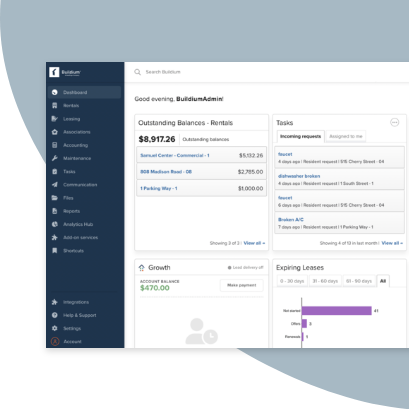


Maintenance requests often arrive through texts, emails, phone calls, and portal messages. Without one place to manage them, details get missed and repairs drag on.
Work order management software keeps each job visible from request to completion. This guide compares six of the best options, along with their features, pricing, limitations, and ideal users.
What We’ll Cover:
- What work order management software does
- Features to compare before you buy
- Six tools worth considering
- How to choose the right fit for your portfolio
What Work Order Management Software Does for Property Managers
Work order management software tracks a repair from the initial request through completion. Property managers can assign the job, monitor its status, and keep related notes or documents in one place.
As a portfolio grows, that visibility matters more. Teams can see which repairs are open, where work has stalled, and what needs follow-up without searching through separate messages.
The completed work order also creates a service record. Managers can review past repairs, answer owner questions, and document when the issue was addressed.
What to Look for in Work Order Management Software
Before comparing platforms, identify the capabilities your team needs most. These criteria will help you narrow the field.
- Resident request intake: Residents should be able to submit requests, photos, and relevant details through a portal or mobile app.
- Assignment and vendor coordination: Staff should be able to route jobs, share instructions, and track vendor progress without relying on separate calls or emails.
- Portfolio-wide visibility: A central dashboard should show open work orders, current status, property location, and time outstanding.
- Preventive and recurring maintenance: Look for tools that schedule routine work such as filter changes, inspections, and seasonal service. The system should also make it easier to catch recurring issues before they become emergency repairs.
- Mobile access: Staff and technicians need to review and update work orders from the field.
- Reporting and documentation: Complete records should capture repair history, completion details, and supporting notes or files.
- Operational integrations: Maintenance data should connect with related workflows, especially accounting, resident communication, and vendor payments.
6 of the Best Work Order Management Software Tools: A Quick Comparison
| Platform | Type | Starting price | Key limitation |
|---|---|---|---|
| Buildium® | All-in-one property management platform | From $62 per month | Less asset-level depth than a dedicated CMMS |
| Property Meld® | Maintenance coordination platform | From $1.60 per unit per month | Handles maintenance only; accounting and leasing stay elsewhere |
| MaintainX® | Mobile-first CMMS | Free plan; paid from $20 per user per month | No built-in accounting, leasing, or owner reporting |
| UpKeep® | Mobile-first CMMS | From $24 per user per month | Focused on maintenance, not full property management |
| TenantCloud® | All-in-one property management platform | From $15 per month, billed annually | Less depth on equipment histories and parts than a CMMS |
| Snapfix® | Mobile-first, photo-based maintenance platform | Custom quote | No published pricing; asset tracking is a paid add-on |
1. Buildium
Best for All-in-One Property Management
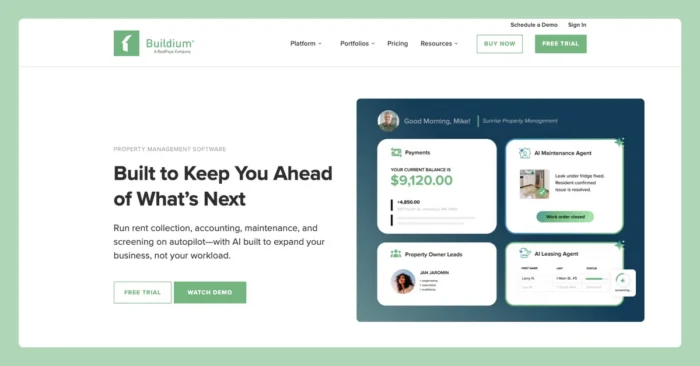
Buildium brings work order management into the same platform as accounting, leasing, and resident communication. Residents can submit requests with photos through the Resident Center, then follow status updates as staff or vendors complete the job.
Property managers can turn requests into work orders, assign the work, and track progress in one place. Because maintenance connects with the rest of the platform, teams can also retain a clearer record of service activity and related costs.
Features
Buildium has a comprehensive set of features (you can explore the full list here), backed by strong customization and automation capabilities for most of its tools. Standout maintenance features include:
- Resident maintenance requests with photo and video uploads through a dedicated portal and app
- Work order assignment, vendor coordination, and status tracking
- Recurring maintenance scheduling
- Maintenance projects and templates for repeatable jobs
- Staff time tracking and a shared maintenance calendar
- Mobile access for managers and residents
- Property inspections through HappyCo
- Integrated accounting and financial reporting
- A 24/7 Maintenance Contact Center support
- Buildium AI Maintenance Agent for work order summaries and progress monitoring
- Several more specialized work order and maintenance software tools (part of Buildium Marketplace)
Pricing
Buildium has three pricing tiers. Core maintenance tools are available across the plans, while higher tiers add more automation, analytics, and included services.
- Essential: Starting at $62 per month. Includes basic maintenance features, such as task and work order management, maintenance projects, project templates, reporting, billing, staff scheduling, and time tracking.
- Growth: Starting at $192 per month. Includes everything in Essential, plus more customization, reporting automation, business analytics, and AI-enhanced communications.
- Premium: Starting at $400 per month. Includes everything in Growth, plus Buildium’s full AI and automation suite, Open API access, included property inspections, and priority support.
Buildium also offers an optional Maintenance Contact Center. Pricing for that service is separate from the base subscription. You can test the platform through a free 14-day trial with no credit card required.
2. Property Meld
Best for Maintenance Coordination
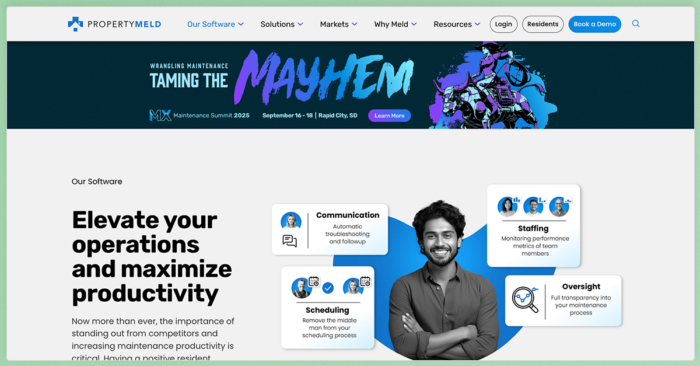
Property Meld is a maintenance coordination platform built specifically for property management companies. It connects residents, managers, in-house technicians, and outside vendors in one workflow.
Its main strength is coordinating the work between intake and completion. Residents can submit an issue, communicate with the people handling it, and help schedule access without requiring the property manager to relay every update. Managers can track progress, review costs, and spot jobs that need attention.
Property Meld handles maintenance rather than full property management. Accounting, leasing, rent collection, and owner reporting typically remain in another platform.
Features
- A resident portal with single sign-on access
- Conversational repair intake, diagnosis, and troubleshooting through MAX
- Emergency screening and issue flagging
- Work order creation with request transcripts and supporting documentation
- Automated scheduling and dispatch based on availability, location, and trade
- Direct communication between residents, vendors, and maintenance teams
- Cost projections for incoming repair requests
- Owner approval workflows and repair-cost controls
- Recurring maintenance and inspection scheduling
- Maintenance analytics covering technician, vendor, and coordinator performance
- Integrations with major property management platforms
Pricing
Property Meld has two plans. Pricing is based on the number of units managed and billed monthly.
- Core: Starting at $1.60 per unit per month. Includes repair intake, emergency screening, work order documentation, maintenance coordination, customizable workflows, communication tools, and an owner portal.
- Ops: Starting at $2 per unit per month. Includes everything in Core, plus repair-cost projections, advanced maintenance analytics through Insights Pro, and additional decision-support tools.
- MAX On-Call: Priced at $1.50 per unit per month. The add-on handles after-hours maintenance intake, emergency screening, documentation, and routing.
3. MaintainX

Best for Preventive Maintenance
MaintainX is a mobile-first Computerized Maintenance Management System (CMMS) for property and facilities maintenance teams. Staff can submit, assign, and update work orders from a phone, tablet, or desktop. Managers get a central view of open jobs across properties.
The platform goes deeper into asset upkeep than general property management software. Teams can build preventive maintenance schedules, track equipment histories, and monitor parts usage. Accounting, leasing, and owner reporting would typically stay in another system.
Features
- Work order management with priorities, assignments, photos, comments, and real-time status updates
- Automated preventive maintenance based on recurring schedules or equipment conditions
- Digital checklists and inspections for recurring work and compliance tasks
- Vendor collaboration through external work orders
- Parts inventory and purchase order management
- Time and cost tracking for completed jobs
- Maintenance reporting on completion rates, costs, preventive maintenance, and equipment performance
- Mobile access and real-time team messaging
Pricing
MaintainX has four plans. Pricing is charged per user, while requester accounts are free.
- Basic: Free. Includes unlimited work orders and procedures, real-time messaging, two active recurring work orders, and limited image and analytics access.
- Essential: Starting at $20 per user per month when billed annually, or $25 when billed monthly. Adds unlimited recurring work orders and image attachments.
- Premium: Starting at $65 per user per month when billed annually, or $75 when billed monthly. Adds meter-based maintenance, parts and purchase order management, time and cost tracking, external work orders, advanced analytics, and Open REST API access.
- Enterprise: Custom pricing. Adds multi-site controls, resource planning, escalation protocols, IoT integrations, advanced reporting, custom permissions, and MaintainX CoPilot.
Essential and Premium include free-trial options.
4. UpKeep
Best for Equipment and Asset Tracking
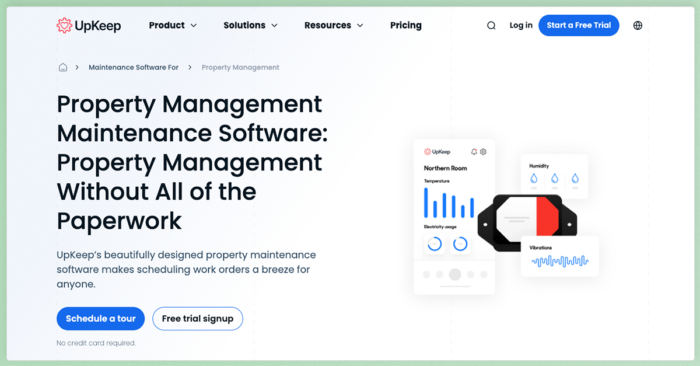
UpKeep is a mobile-first CMMS built around work orders, preventive maintenance, and asset management. Technicians can receive assignments, review job details, and document completed work from the field.
Its asset records connect each piece of equipment with its repair history, warranties, open work orders, and maintenance costs. That added depth can help property managers make better repair-or-replace decisions for systems such as HVAC equipment, boilers, generators, and elevators.
Features
- Work order management with assignments, priorities, and real-time status tracking
- Asset and equipment tracking with full service histories
- Parts and inventory management with purchase order tracking
- Preventive maintenance scheduling based on time, meter readings, or triggers
- Work request portal for submitting issues with photo uploads
- Mobile access for managers and technicians
- Digital checklists and procedures
- Vendor coordination and external work orders
- Time and cost tracking for labor and materials
- Maintenance reporting and analytics
Pricing
UpKeep offers four pricing tiers. Pricing is charged per user per month.
- Essential: Starting at $24 per user per month. Includes unlimited work orders and locations, along with Nova AI.
- Premium: Starting at $55 per user per month. Adds preventive maintenance scheduling, custom checklists, parts and inventory management, labor tracking, and 30 days of analytics history.
- Professional: Custom pricing. Adds offline mobile access, an external request portal, complete analytics history, asset lifecycle tracking, and signature capture.
- Enterprise: Custom pricing. Adds multi-site controls, workflow automation, reliability tracking, purchase order management, API integrations, custom roles, and dashboards.
UpKeep offers a free trial to test the platform before committing.
5. TenantCloud
Best for Smaller Portfolios
TenantCloud is an all-in-one property management platform with built-in maintenance management. Residents can submit repair requests through their portal, attach photos or videos, and choose a preferred time for property access. Managers can assign requests, communicate with service professionals, track status, and link related expenses to the property or unit.
Compared with a dedicated CMMS, TenantCloud offers less depth around equipment histories and parts management. Its broader feature set may be a better fit for landlords and smaller property management teams that want one system for day-to-day operations.
Features
- A maintenance request portal with photo, video, and document uploads
- Priority levels, maintenance categories, and preferred access times
- Work order assignment and automatic assignee settings
- A drag-and-drop requests board for tracking job status
- Direct messaging within each maintenance request
- Recurring requests for preventive and routine maintenance
- Service professional search through a Thumbtack integration
- Invoices and expenses linked to individual repair requests
- Maintenance reports filtered by property, unit, or date
- Mobile access for residents and property managers
Pricing
TenantCloud has four pricing tiers. All plans include unlimited online maintenance requests, ServicePro management, vendor access, and recurring request tools, though usage limits and broader property management features vary by plan.
- Starter: $25 per month, or $15 per month when billed annually. Includes maintenance management, up to 100 recurring requests, service-provider invoicing and payments, online rent collection, and leasing tools.
- Growth: $35 per month, or about $29 per month when billed annually. Raises the recurring-request limit to 200 and adds move-in and move-out inspections, a property message board, and enhanced portfolio tools.
- Pro: $60 per month, or $50 per month when billed annually. Supports up to 500 recurring requests and adds bank reconciliation, tax reporting, and a separate owner portal.
- Business: Custom pricing starting at $100 per month. Adds custom maintenance limits, team and task management, configurable permissions, and interface customization for larger operations.
TenantCloud offers a 14-day free trial. Plan limits also apply to leases, storage, team members, bank accounts, and other property management features.
6. Snapfix
Best for Visual, Photo-First Tracking
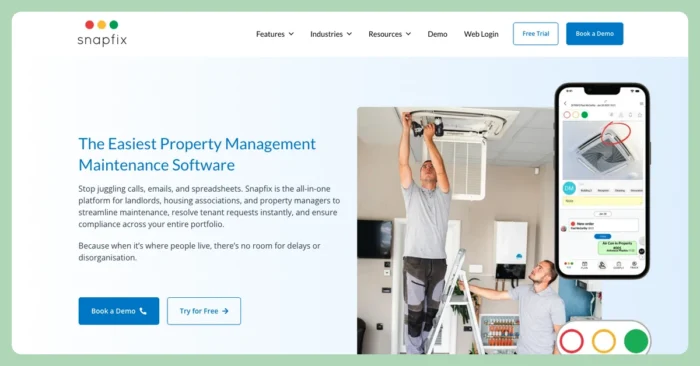
Snapfix is a mobile-first maintenance platform built around photos and visual status tracking. Residents, staff, or contractors can report an issue by taking a photo, then follow the job as it moves from new to in progress and complete.
Its red, yellow, and green traffic-light system makes work order status easy to scan. That visual approach can reduce training time for field teams and help managers spot overdue work without opening every request.
Features
- Photo-first work order creation for maintenance requests
- A red, yellow, and green status system for tracking progress
- Work order assignment to staff and outside contractors
- Integrated messaging, photo updates, and document sharing within each task
- Photo evidence and time-stamped completion records
- Planned maintenance schedules and automated reminders
- Digital checklists for inspections, audits, and recurring tasks
- QR codes for reporting issues tied to specific areas or assets
- Multi-site oversight for portfolios with more than one property
- Asset tracking through an optional paid module
Pricing
Snapfix does not publish a current plan-by-plan pricing table. Contact the company for a quote based on the capabilities and deployment your team needs. A free trial and guided demo are available.
How to Choose the Right Work Order Software for Your Portfolio
Start with how your maintenance operation works today. An all-in-one property management platform may be the better fit when maintenance is closely tied to accounting, resident communication, vendor payments, and owner reporting. Keeping those workflows together reduces duplicate entry and gives staff a more complete record of each repair.
A dedicated CMMS may make more sense for teams with in-house technicians, complex equipment, or a large preventive maintenance program. These tools typically go deeper on asset histories, parts inventory, labor tracking, and condition-based service.
As you compare platforms, consider:
- Portfolio size and growth: Confirm that the pricing model and reporting tools still work as you add units or properties.
- Maintenance staffing: Look at how the platform supports in-house technicians, outside vendors, or a mix of both.
- Mobile workflows: Test how easily field staff can receive assignments, add notes, upload photos, and close jobs from a phone.
- Preventive maintenance: Check whether the system supports recurring schedules, inspections, asset histories, and automated reminders.
- Existing software: Review integrations with your accounting, leasing, and resident communication tools.
- Reporting needs: Make sure you can track open work, response times, repair costs, and vendor performance without building reports manually.
Run a few real maintenance scenarios during a trial or demo. Submit a resident request, assign it, update the status, add an invoice, and close the job. That process will reveal more than a feature list alone.
Keep Repairs Moving from Request to Completion
The right work order management software gives every request a clear path from intake to completion. It keeps staff, vendors, and residents working from the same information while creating a reliable service record for owners.
Choose based on the way your team operates. Dedicated CMMS platforms offer more depth for assets, parts, and preventive maintenance. All-in-one property management software connects repairs with accounting, communication, and reporting.
If you want maintenance handled in the same place as your accounting, leasing, and resident communication, Buildium is worth a look. You can give it a try with a free trial or sign up for a guided demo to walk through the maintenance workflow with a product specialist.
Frequently Asked Questions About Work Order Management Software
What Is Work Order Management Software?
It’s software that turns a maintenance request into a trackable job and follows it from intake to completion. For a property manager, it captures a resident request, routes it to a staffer or vendor, tracks status, and stores a record you can show an owner later.
What Features Should Work Order Management Software Have?
Start with request intake that accepts photos, vendor assignment, portfolio-wide visibility, recurring and preventive scheduling, mobile access, and reporting for owners. When maintenance connects to your accounting and resident communication, you avoid re-entering the same information in two systems, which saves time and cuts errors.
Is There Free Work Order Management Software?
Some tools offer a free tier or a free trial, though free plans usually cap users, assets, or features. A trial is a good way to test a tool against your own workflow before you pay, so put a few real work orders through it before you decide.
What Is the Difference Between Work Order Software and a CMMS?
A CMMS (computerized maintenance management system) centers on assets and equipment, with parts inventory, preventive scheduling, and equipment history. Work order software is the broader category for creating and tracking jobs of any kind. For property managers, the practical question is whether the tool tracks resident requests and connects to your accounting, or focuses mainly on equipment upkeep.