

The right tenant management software lets you handle applications, leases, rent payments, maintenance requests, and resident communications all in one place, and even automates the most time consuming tasks for you. But not all the platforms out there live up to that promise.
This guide breaks down eight of the best tenant management software platforms available in 2026. For each one, you’ll get a clear look at features, pricing, and where each makes the most sense.
Why Tenant Management Software Matters
Tenant management software handles the full resident lifecycle in one place. Instead of juggling spreadsheets, email threads, and separate accounting tools, you get a single system that keeps everything connected.
Where broader property management software covers the entire business, tenant management tools zero in on the day-to-day work of managing the people living in your properties. Think lease tracking, communication, payment processing, maintenance requests, and all the the tasks that eat up most of your time when you’re managing them manually across disconnected systems.
keytenantmanagementfeaturestolookfor
Before diving into specific platforms, here are the features that matter most when you’re evaluating tenant management software. Use these as your checklist. Any platform worth your time should cover the basics, and the best ones will go further with integrtations, automation, and AI.
Advanced Automation and AI Capabilities
Automation is where tenant management software pays for itself. Look for platforms that let you set up rules-based workflows like:
- automatically sending lease renewal reminders 60 days before expiration
- routing maintenance requests to the right vendor based on category
- triggering late fee notices without you lifting a finger
The strongest platforms now offer AI-powered tools that can draft communications, scan and categorize invoices, answer resident questions around the clock, and surface trends in your maintenance data.
If you’re managing dozens or hundreds of units, these features save you hours every week and cut down on the mistakes that come from doing repetitive tasks manually.
You can read more here on automating property management tasks.
Lease Management and Tracking
Your software should handle the full lease lifecycle so nothing slips through the cracks. Look for platforms that also store all your lease documents in one searchable location and let you customize clauses per property or unit type.
Financial Management and Accounting
Rent tracking is a start, but you also need expense management, bank reconciliation, owner statements, and tax-ready reporting built in. The best platforms generate 1099s at year-end, support property-level accounting, and sync with your bank in real time so your books are always current.
Check out our guide to property management accounting tools for more details.
Tenant and Owner Portals
Self-service portals save you time and keep residents happy. Residents should be able to pay rent, submit maintenance requests, and access lease documents from their phone or computer. Owner portals matter just as much. Your property owners want to see financials, review statements, and track property performance without calling you for updates.
Maintenance and Work Order Management
Centralized maintenance management means residents submit requests through a portal, you assign vendors and track progress in one place, and costs get logged automatically. Look for recurring task scheduling (like seasonal HVAC inspections), priority tiers, and photo/video attachments so you’re not going back and forth asking for details.
Reporting and Analytics
Custom dashboards and KPI tracking give you visibility into what’s actually happening across your portfolio. You should be able to pull reports on occupancy rates, rent delinquency, net operating income, and maintenance costs, both at the property level and across your entire book of business. The faster you can spot a trend, the faster you can act on it.
8 of the Best Tenant Management Software for 2026: A Side-by-Side Comparison
| Platform | Best For | Starting Price | Key Strengths |
|---|---|---|---|
| Buildium® | Growing portfolios (all types) | $62/month | AI automation + no per-seat pricing |
| RealPage® | Enterprise multifamily | Custom pricing | Large-scale portfolio management |
| Propertyware® | Single-family rentals (250+ units) | $250/month | Customizable workflows |
| TenantCloud® | Small to mid-size landlords | $25/month (paid monthly | Affordable core features |
| Avail® | DIY landlords (under 10 units) | Free (limited features) | No-cost essentials |
| Hemlane® | Remote landlords | Free (basic) | Hybrid software + local services |
| RentRedi® | Mobile-first landlords | $29.95/month (monthly plan) | Full mobile app functionality |
| TurboTenant® | Budget-conscious landlords | Free (limited features) | Tenant-paid fees keep costs low |
1. Buildium
Comprehensive Tenant Management Software for Growing Portfolios
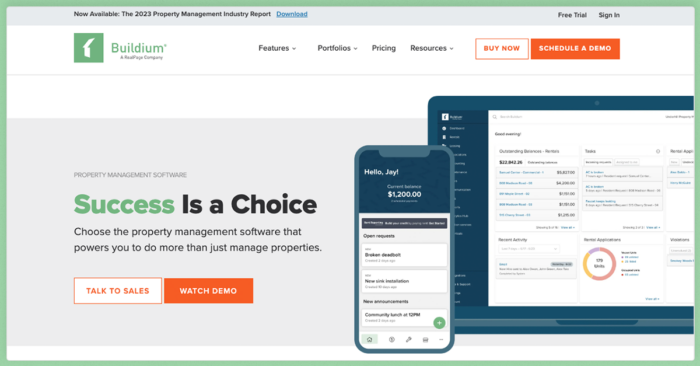
Great All-in-One Property Management Software for Tenant Management and More
Buildium is a comprehensive property management platform built for you and works for a variety of portfolio types. It’s easy to pick up on day one and it puts everything from leasing and accounting to maintenance and communications in one connected platform. There’s no per-seat pricing, so your whole team can use it without nickel-and-dime charges. And with a 14-day free trial, you can test the full platform before committing.
Buildium also offers Lumina AI Workforce, a suite of AI agents that handle leasing inquiries, maintenance triage, accounting tasks, and resident communications so you can spend less time on repetitive work and more time growing your business.
Taken together, these tools can expand your portfolio quickly, even in the first year.
Features
Buildium’s feature set covers the full scope of tenant management, and each piece connects back to the same central system.
- Online rent collection gives your residents multiple ways to pay (ACH, credit card, or cash payments at retail locations) with autopay enrollment and real-time payment tracking.
- The Resident Center app lets tenants pay rent, submit maintenance requests, and access their lease from their phone.
- Tenant screening is built into the application workflow, so you move from listing to lease without switching tools. You can run credit, criminal, and eviction checks as part of the application process and share reports with property owners directly through their portal.
- Lease management covers templates, e-signatures, and automated renewal tracking. You set up your lease once, customize it per property or unit, and Buildium handles the rest — reminders, signature collection, and document storage.
- Maintenance tracking goes beyond basic work orders. You can create recurring tasks, assign vendors, track costs, and use maintenance analytics to spot patterns across your portfolio. Buildium’s automation tools also let you build workflows that route requests, trigger notifications, and move work orders through your pipeline without manual follow-up — resulting in 66% faster unit turnovers and 80% faster invoice processing.
- Owner portals give your property owners self-service access to financial statements, performance reports, and property-level details so they stay informed without generating extra work for you.
- On the accounting side, Buildium handles bank reconciliation, property-specific reporting, and 1099 e-filing. Every transaction ties back to the right property and owner, so your books stay clean.
- Buildium’s AI and automation capabilities include Lumina AI Workforce, a set of AI agents that handle bill scanning, communication drafting, leasing inquiries, maintenance triage, and accounting tasks. Instead of your typical chatbots, these are purpose-built agents that work within your existing Buildium workflows.
- For teams that need to connect Buildium with other tools, the Marketplace offers pre-built integrations from partner solutions, and Premium plan subscribers get access to the platform’s open API for custom connections.
Pricing
Buildium offers three plans, all with no per-seat pricing and a 14-day free trial:
- Essential (starting at $62/month): Covers core accounting, maintenance tracking, leasing, communications, and the AI Assistant. A solid starting point for smaller portfolios.
- Growth (starting at $192/month): Adds enhanced screening, lower-cost eSignatures and EFT payments, AI-powered communications, business analytics, and reporting automation. Built for property managers actively scaling their business.
- Premium (starting at $400/month): Includes the full Lumina AI Workforce, Open API access, and advanced portfolio insights. The right fit if you’re running a larger operation and want maximum automation.
Pricing scales with your unit count, so you pay for what you manage. You can see full plan details on Buildium’s pricing page.
2. RealPage
Enterprise-Level Multifamily Property Management Software
RealPage is a comprehensive property management platform designed specifically for multifamily portfolios at scale, offering a fully integrated, AI-enabled platform for operations, leasing, accounting, and resident experience.
Features
RealPage covers the full spectrum of multifamily property management at scale with its features:
- End-to-end property management spanning leasing, operations, and maintenance from a single integrated platform
- Integrated accounting, budgeting, and financial reporting with portfolio-wide visibility
- Advanced revenue management and pricing optimization tools
- Resident portals for online payments, service requests, and communications
- AI-powered analytics for performance insights across large portfolios
- An open platform architecture with third-party integrations
Pricing
RealPage uses custom pricing based on portfolio size and the specific products you select. You’ll need to contact their team for a quote tailored to your operation.
Given its enterprise focus, RealPage is generally a fit for larger multifamily portfolios rather than small or mid-size property managers.
3. Propertyware
Scalable Single-Family Rental Management Software
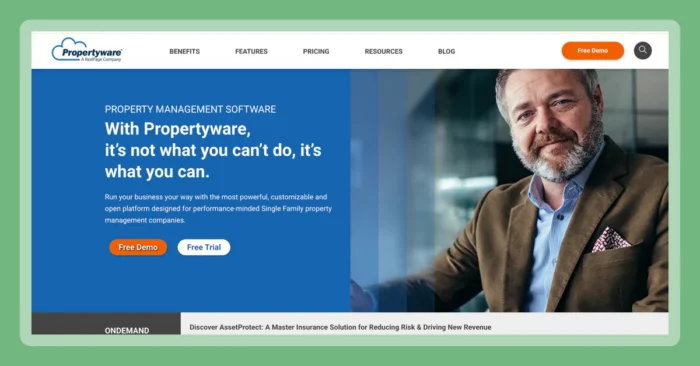
Propertyware is purpose-built for single-family rental portfolios, particularly those at scale (250+ units). It’s a strong option if your portfolio is primarily scattered-site single-family homes and you need deep customization in your workflows.
Features
Propertyware offers single-family-focused tools with a high degree of customization:
- Customizable workflows that adapt to your specific operational processes
- Tenant screening with background, credit, and eviction history checks
- Online rent collection with multiple payment options
- Maintenance management with vendor assignment, cost tracking, and mobile access
- Listing syndication to major rental sites for faster vacancy fills
- Owner portals with financial reporting and property-level performance data
- Detailed accounting with trust account management and owner disbursements
- Mobile app for field work, inspections, and on-the-go management
Pricing
Propertyware uses per-unit pricing with monthly minimums:
- Basic ($1/unit/month, $250 minimum): Core property management features
- Plus ($1.50/unit/month, $350 minimum): Adds maintenance management and enhanced reporting
- Premium ($2/unit/month, $450 minimum): Full feature access including advanced customization
Setup fees apply to all plans.
4. TenantCloud
Affordable Software for Small to Mid-Size Landlords
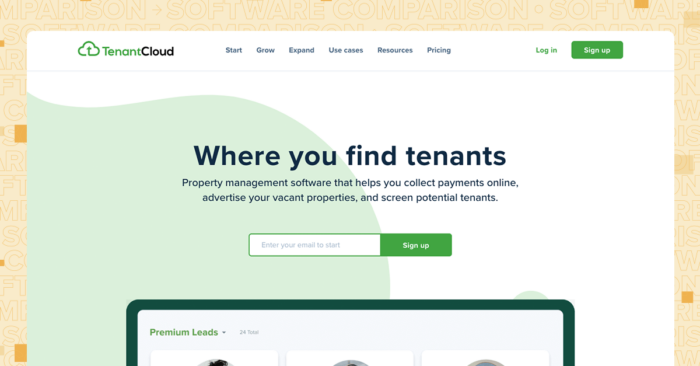
TenantCloud is built for landlords and property managers who want core tenant management features without a steep price tag. It covers the essentials like screening, leasing, rent collection, and maintenance and works well for portfolios ranging from a few units up to around 500.
Features
TenantCloud provides a solid set of tenant management tools at an accessible price point:
- Tenant screening with credit, criminal, and eviction checks integrated into the application process
- Lease drafting with state-specific templates so your documents match local requirements
- Online rent collection via ACH and credit card, with automated payment reminders
- Maintenance request management with status tracking and tenant communication
- Calendar sync with Google Calendar to keep lease renewals and inspections on your radar
- Credit bureau rent reporting so your residents can build credit through on-time payments
Pricing
TenantCloud offers tiered pricing based on portfolio size. Here’s the price breakdown if you pay monthly:
- Starter ($25/month): Supports up to 10 leases with basic features
- Growth ($35/month): Supports up to 30 leases with expanded capabilities
- Pro ($60/month): Designed for larger portfolios with advanced reporting and management tools
5. Avail
DIY Rental Management Software for Hands-On Landlords
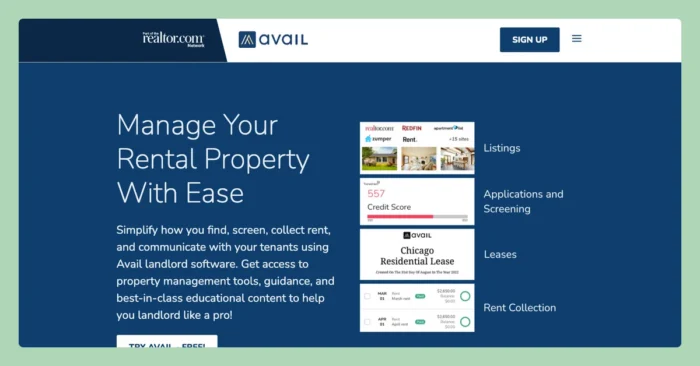
Avail (part of Realtor.com) is built for independent landlords who want to handle property management themselves without paying for features they don’t need. It keeps things simple and works best for smaller portfolios, typically under 10 units.
Features
Avail covers the basics that hands-on landlords need most:
- Listing syndication to major rental sites including Realtor.com, Zillow, Trulia, and Apartments.com
- Tenant screening with credit, criminal, and eviction reports (paid by applicant or landlord)
- Online lease signing with state-specific templates
- Rent collection via ACH bank transfer with automated reminders
- Maintenance ticketing so tenants can submit requests and track progress online
Pricing
Avail offers a straightforward pricing structure:
- Free tier: Syndicated listings, screening, lease signing, and rent collection with standard ACH timing
- Unlimited Plus ($9/unit/month): Adds next-day rent payments, waived ACH fees, custom applications, and clone-able lease templates
6. Hemlane
Hybrid Property Management Software for Remote Landlords
Hemlane takes a hybrid approach. It combines software tools with optional local management services, making it a fit for landlords who don’t live near their rental properties. If you want to stay in control of your portfolio but need boots on the ground for repairs and emergencies, Hemlane bridges that gap.
Features
Hemlane blends software with on-the-ground support:
- Rent collection with $0 ACH fees, reducing costs on every payment cycle
- Listing syndication across 15+ rental sites for broad vacancy exposure
- Self-guided tour scheduling so prospective tenants can view properties on their own time
- 24/7 repair coordination that triages maintenance requests and connects tenants with local vendors
- Tenant screening with background, credit, and eviction checks
- Local vendor management for markets where you don’t have your own maintenance team
Pricing
Hemlane’s pricing reflects its hybrid model. Aside from its free plan, all the other options have a $28 base fee when payed monthly plus a set rate per unit
- Free: Basic listing syndication and applicant tracking
- Basic ($2 per unit plus base fee): Adds rent collection, maintenance coordination, and screening
- Essential ($20 per unit plus base fee): Includes managed repair coordination and priority support
- Complete ($58 per unit plus base fee): Adds a dedicated property management assistant, access to a vetted repair network, and VIP support
7. RentRedi
Mobile-First Rental Management for Hands-On Landlords
RentRedi is a mobile-first platform designed for landlords who want to manage everything from their phone. Its iOS and Android apps cover the full management workflow, and all plans include unlimited units.
RentRedi Features
RentRedi’s mobile-first design puts property management in your pocket:
- Full-featured mobile app for iOS and Android with push notifications
- Tenant screening with TransUnion credit, criminal, and eviction reports
- Rent collection via ACH and credit card with autopay enrollment
- Maintenance tracking with photo and video attachments from tenants
- Listing syndication to Zillow, Realtor.com, and other major sites
- Lease management with customizable templates and e-signatures
- Renter’s insurance integration for resident coverage
- Credit reporting so tenants can report on-time rent payments
RentRedi Pricing
RentRedi keeps its pricing simple:
- Monthly Plan ($29.95/month, or $12/mo billed annually): Full management features including in-app messaging, maintenance tracking, lease management, and tenant screening
8. TurboTenant
Budget-Friendly Rental Management for Cost-Conscious Landlords
TurboTenant is built for landlords who want free or low-cost tenant management tools. It keeps landlord-facing costs minimal by shifting some fees (like screening and payment processing) to tenants, which makes it especially attractive if you’re managing a small portfolio and watching every dollar.
Features
TurboTenant provides essential rental management features at minimal cost:
- Rental listing syndication across major platforms for vacancy marketing
- AI-generated property descriptions to speed up listing creation
- Tenant screening with credit, criminal, and eviction reports (paid by applicant)
- Online applications with customizable questions and automatic data collection
- Rent collection via ACH with automated payment reminders
- Lease management with state-specific templates and e-signatures
Pricing
TurboTenant has several pricing options:
- Free ($0/month): Unlimited listings, applications, screening (tenant-paid), rent collection, and maintenance requests
- Essentials ($12.42/month billed annually): Adds unlimited lease agreements, e-signatures, lower screening fees, and expedited rent payouts
- Pro ($16.58/mo billed annually): Adds income verification, free ACH payments, automated transaction tracking, and full accounting tools
- Accounting add-on: $15/month + $5/unit for integrated bookkeeping tools
How to Choose the Right Tenant Management Software
Picking the right platform comes down to a few practical questions:
1. How big is your portfolio? If you’re managing under 10 units, a free or low-cost tool like Avail or TurboTenant might be enough. Once you’re past 50 doors and growing, you need a platform that scales with you — handling more units, more owners, and more complexity without slowing you down.
2. What features can’t you live without? Make a short list of your non-negotiables. If accounting and financial reporting drive your decision, prioritize platforms with built-in bank reconciliation and tax reporting. If automation matters most, look for workflow builders and AI tools that reduce manual work.
3. What’s your budget? Per-unit pricing adds up fast as you grow. Flat-rate or tiered plans give you more predictability. Factor in setup fees, add-on costs, and what’s actually included at each tier.
4. Will it grow with you? The last thing you want is to outgrow your software in 18 months and face another migration. Look for platforms that serve your current portfolio size but have the depth to handle more doors, more property types, and more complex reporting as you scale.
Finding the Right Tenant Management Software for Your Portfolio
If you’re managing a growing residential portfolio, Buildium checks most of these boxes. It covers the full management workflow, scales without per-seat charges, and offers AI-powered automation that keeps pace as your business gets more complex.
To see how Buildium can help with tenant management, you can sign up for a 14-day free trial or schedule a guided demo.
Frequently Asked Questions
What Is Tenant Management Software?
Tenant management software is a platform that handles the core tasks of managing residents — screening applicants, tracking leases, collecting rent, coordinating maintenance, and communicating with tenants — from a single system. It replaces disconnected spreadsheets and manual processes with automated workflows.
What Features Should I Look for in Tenant Management Software?
Focus on lease management, online rent collection, maintenance tracking, tenant and owner portals, accounting, and automation. AI-powered tools are increasingly important for scaling — they reduce repetitive tasks and speed up operations like invoice processing and communication.
How Much Does Tenant Management Software Cost?
Pricing varies widely. Free options exist for small portfolios (Avail, TurboTenant), while mid-range platforms like Buildium start at $62/mo. Enterprise platforms like RealPage use custom pricing. Most platforms charge based on unit count or plan tier.
Is There Free Tenant Management Software?
Yes. Avail, TurboTenant, and Hemlane all offer free tiers with basic features. Keep in mind that free plans typically have limitations — fewer features, slower payment processing, or tenant-paid fees. As your portfolio grows, a paid plan usually becomes necessary.
Which Is Better, AppFolio or Buildium?
Both are full-featured property management platforms, but they serve different audiences. Buildium works well if you manage a small to mid-size portfolio (1–400+ doors) with transparent, tiered pricing starting at $62/mo and no per-seat charges. It offers a 14-day free trial so you can test the platform before committing.
Buildium’s Commitment to Safe and Secure AI
At Buildium, we believe that AI should be a trusted extension of our platform–not a replacement for human judgement. Our approach to AI is grounded in transparency, education, and rigorous security standards. We deploy AI features with a clear focus: to automate routine tasks while preserving the integrity of sensitive decisions that require human oversight. Lumina AI is built for property managers who value efficiency, security, and trust. We’re not just innovating–we’re doing so responsibly.