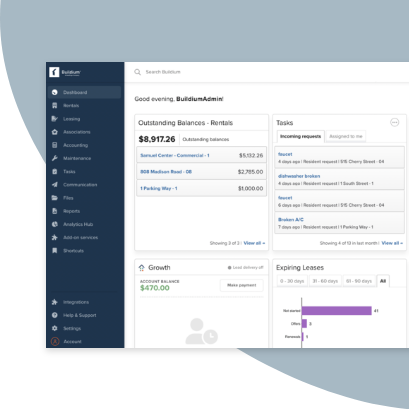
When your portfolio starts to grow into the hundreds of doors, the spreadsheets and manual processes that got you there can start to hold you back. That’s where property management software comes in.
This post compares eight of the best property management software companies for 2027 to give you a clear picture of how they stack up. We’ll look at the key features, who each platform is best for, and how they handle the core needs of a growing business.
Key Takeaways
When you look at property management software reviews, you’ll see a few names come up again and again. For growing property management companies, these are the ones that stand out in 2026.
Buildium® is consistently mentioned as a top choice for third-party property management companies with residential and mixed portfolios. It combines purpose-built accounting with AI-powered automation that helps reduce manual data entry and streamline workflows. Buildium’s open API lets you connect existing tools, and the Resident Center and Owner Portal give tenants and owners 24/7 access to payments, documents, and maintenance requests. The platform also includes built-in lead generation through All Property Management, helping you find new owner clients, and trust-accounting tools, 1099 e-filing, and reporting designed to support compliance needs across your portfolio.
RealPage® offers a platform suited for enterprise-level operations, with extensive reporting capabilities that handle large portfolios well.
Propertyware® focuses on single-family property management with customizable workflows and solid accounting features.
The Best Property Management Software Companies in 2026 (Quick Picks)
A quick comparison of the best property management software companies can help you see where each one fits. Here’s a look at the options we review in this post.
| Software | Best for | Key features | Mobile app | User experience |
|---|---|---|---|---|
| Buildium | Third-party property management companies with residential, association, or mixed portfolios | Full accounting, AI automation, Open API, resident and owner portals, maintenance tracking, lead generation, compliance tools, association management | Yes (iOS and Android) | Intuitive, easy to learn, AI-enhanced |
| RealPage | Enterprise multifamily organizations managing large portfolios | Integrated platform, AI-powered analytics, revenue management, pricing optimization, standardized operations | Yes | Fully integrated; user experience varies by organization and training |
| Propertyware | Property management companies specializing in single-family rentals | Customizable workflows, accounting, owner statements, trust accounting | Yes | Flexible but requires configuration time |
| AppFolio® | Mid-to-large portfolios wanting AI features | AI leasing assistant, online payments, maintenance coordination | Yes | Mobile-first design with a modern interface |
| Yardi Voyager® | Enterprise portfolios | Commercial and residential support, investment management, energy management | Yes | Complex interface that’s suited for enterprise teams |
| TenantCloud® | Self-managing owners or very small property management companies | Basic accounting, tenant screening, free plan available | Yes | Simple interface, limited features |
| Rentec Direct® | Self-managing owners and small property management companies | Trust accounting, tenant screening, simple pricing | Limited | Straightforward, limited mobile features |
| Hemlane® | Owners who want help with leasing but want to stay involved in management | Leasing coordination, rent collection, local agent network | Yes | Clean design, hybrid model |
Independent reviews on Gartner Peer Insights and G2 often show similar patterns. Buildium, for example, consistently receives high marks for ease of use and customer support, with verified users highlighting the platform’s intuitive design and responsive service team.
Why You Need Property Management Software
Now that you have an overview, you might be asking why you need property management software in the first place.
When you’re managing a growing portfolio, the daily tasks can pile up. The right software helps you organize your operations and get time back.
- Save time on repetitive tasks: You can set schedules for rent reminders, late notices, and recurring charges. You spend less time on manual follow-ups.
- Reduce manual data entry: When a tenant pays rent online, the payment posts to the ledger. No double-entry is required.
- Improve communication with tenants and owners: Portals give tenants and owners access to statements, documents, and maintenance updates without calling your office.
- Gain better visibility into finances: Real-time reporting shows you cash flow, outstanding balances, and owner distributions in one place.
As your portfolio grows, you’ll notice these benefits more clearly. What takes hours with spreadsheets can take minutes with the right software.
How We Ranked the Best Property Management Software
With a clearer picture of why these tools are helpful, let’s talk about how we put together this comparison of the best property management software in 2026. We looked at several factors that affect how well a platform works for growing businesses.
- AI capabilities: Does the platform use artificial intelligence to automate workflows, predict maintenance needs, or streamline communications? AI-powered features can significantly reduce manual work.
- Compliance: Can the software help you stay compliant with trust accounting regulations, fair housing laws, and local ordinances? Built-in compliance tools reduce risk.
- Scalability: Will the platform grow with your portfolio? Can it handle hundreds or thousands of units without slowing down?
- Feature availability: Does the software cover accounting, leasing, maintenance, and communications? Can it handle both rentals and associations?
- Mobile accessibility: Can you and your team manage tasks from the field? Do tenants and owners have mobile apps?
- User experience: How quickly can your staff learn the software? Is the interface clear and logical?
- Customer support: What kind of help is available during setup and after? Is support included or extra?
- Third-party ratings: What do verified users say on G2, Capterra, and Software Advice?
These criteria shaped how we evaluated each platform in the detailed property management software reviews below.
The Best Property Management Software Reviewed
Now let’s look at each property management software company in detail. We’ll cover what each platform does well, where it may fall short, and who it fits.
1. Buildium
Great All-in-One Property Management Software
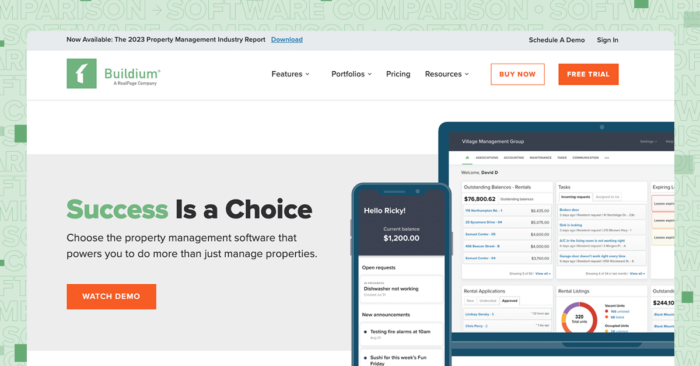
Buildium is a cloud-based property management platform built for third-party property management companies managing residential, association, and mixed portfolios. The platform combines comprehensive features with AI-powered automation to help growing businesses scale efficiently.
A Full Accounting Suite Built for Property Management
The accounting system tracks every transaction at the property and unit level. You can manage trust accounts, run bank reconciliations, and generate owner statements without exporting to separate bookkeeping software. The chart of accounts is customizable, and the system handles both rental and association accounting. Since trust accounting requirements can vary, consult with a legal professional for compliance.
AI-Powered Automation and Workflow Optimization
Buildium uses artificial intelligence to automate repetitive tasks and streamline operations. Buildium’s AI focuses on tasks like invoice data extraction, communications, and workflow summaries; pricing strategy and predictive maintenance are handled via analytics and partner integrations. Buildium’s AI assists with faster, clearer resident communications; scheduling automation is available for showings via integration, while maintenance coordination uses task and vendor workflows. These automation features help you handle more units without adding staff.
Automated Rent Collection and Payment Processing
Tenants pay through the Resident Center using ACH or credit card. Payments post to ledgers and update balances in real time. You can set up recurring charges and payment reminders that run without manual intervention. The system automatically applies payments to the correct accounts and sends receipts, reducing the administrative burden on your team.
Resident Center and Mobile App
Tenants access a portal where they can pay rent, submit maintenance requests, view lease documents, and purchase renters insurance. The Resident Center mobile app provides core portal capabilities—payments, maintenance requests with photos, document access, and more—on iOS and Android. Buildium supports multi-channel updates (email, SMS, and portal announcements) to keep residents informed about payments, maintenance, and announcements.
Owner Portal with Real-Time Reporting
Owners log in to see profit and loss statements, balance sheets, and transaction history for their properties. They can view documents, receive announcements, and track maintenance without calling your office. The portal updates in real time, so owners always have access to current financial information. This transparency builds trust and reduces the time your team spends answering owner questions.
Maintenance Tracking from Request to Payment
Tenants submit requests through the portal. You can assign tasks to staff or vendors, track progress, and convert work orders to bills. Buildium’s mobile experience supports submitting and updating work orders with photos and documents from phone or tablet. Automated notifications keep everyone informed about maintenance status, and the system tracks vendor performance over time to help you identify your most reliable partners.
Open API and Marketplace Integrations
Buildium’s open API lets you connect your data with other business applications and build custom integrations. The Buildium Marketplace offers plug-and-play integrations across categories such as inspections, showings/communications, resident services, and payments; tenant screening is integrated directly in Buildium via TransUnion. This flexibility means you can build a tech stack that fits your specific business needs without being locked into a closed system.
Compliance and Risk Management Tools
Buildium tracks deposits and full transaction histories and offers reporting and trust-compliance tools to support audit readiness. Buildium supports automated reminders for leasing tasks and communications; managers can also schedule recurring tasks and use templates to stay ahead of renewals and inspections. Since laws can vary by state and locality, it’s a good idea to consult with a qualified legal professional if you’re in doubt.
Lead Generation Through All Property Management
Buildium integrates with All Property Management, a network connecting property management companies with owners looking for management services. Leads appear directly in your Buildium account, making it easy to track and convert prospects. This built-in lead generation tool helps you grow your portfolio without spending on separate marketing services.
Rental Listing Syndication
You can list vacancies once and syndicate to Zillow, Apartments.com, Zumper, and other major sites. Applications come through the platform, and you can screen applicants with integrated tenant screening. The system tracks showings and application status, helping you fill vacancies faster. Since laws can vary by state and locality, it’s a good idea to consult with a qualified legal professional if you’re in doubt.
E-Signatures and Lease Templates
You can create reusable lease templates with auto-fill fields. Tenants sign from any device, and completed documents are stored in their file. The e-signature feature speeds up the leasing process and eliminates the need for in-person signings. Since laws can vary by state and locality, it’s a good idea to consult with a qualified legal professional if you’re in doubt.
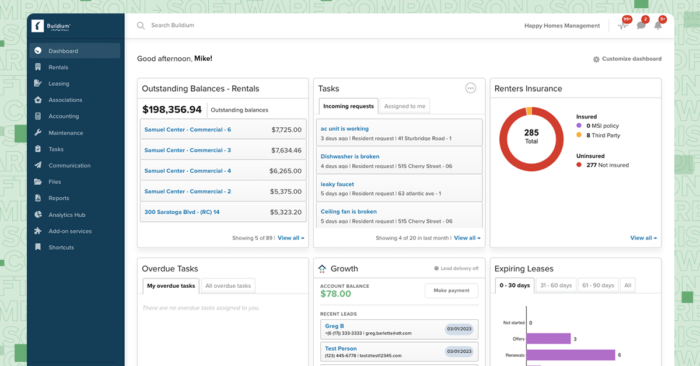
Onboarding and Customer Support
Buildium offers dedicated onboarding consultants, data migration assistance, and Buildium Academy for self-paced training. All plans include ticket/email support; live phone support is included with Growth and Premium. Priority support is available on higher tiers for companies that need faster response times.
Association Management Features
For community associations, Buildium handles violation tracking, architectural requests, board member portal access, and homeowner communications. Buildium supports both rental and association portfolios in one account, making it easy to manage mixed portfolios without switching between systems. Because HOA rules vary significantly, you should consult with a legal professional familiar with your state’s HOA laws.
Who it’s best for: Third-party property management companies with residential, association, or mixed portfolios looking for a platform that scales with growth and offers AI-powered automation.
Buildium Pricing
Buildium prices by unit count and includes a 14-day free trial with no credit card required.
- Essential, starting at $62/month: Core accounting, maintenance, and leasing, basic communications, an AI assistant, and standard reporting. Incoming EFT runs $2.35 per transaction, and each business bank account has a $99 setup fee.
- Growth, starting at $192/month: Everything in Essential, plus more reporting automation, additional tenant screening options, lower eSignature and EFT costs, 10 free business bank accounts, live phone support, and included onboarding.
- Premium, starting at $400/month: Everything in Growth, plus free inspections and eSignatures, the full automation suite, a marketplace of integrations and an open API, 100 free business bank accounts, and priority support.
Capterra Review: “Overall, my experience with Buildium has been very positive. It has helped me stay organized with property management, tenant communication, and tracking tasks. Once I learned the system, it became a valuable tool for keeping everything in one place and running things more efficiently.” – Crystal H. (March 26, 2026)
Start your free trial today!
Try Buildium for free for 14 days. No credit card needed.
Start Your Trial2. RealPage
Enterprise Multifamily Property Management at Scale
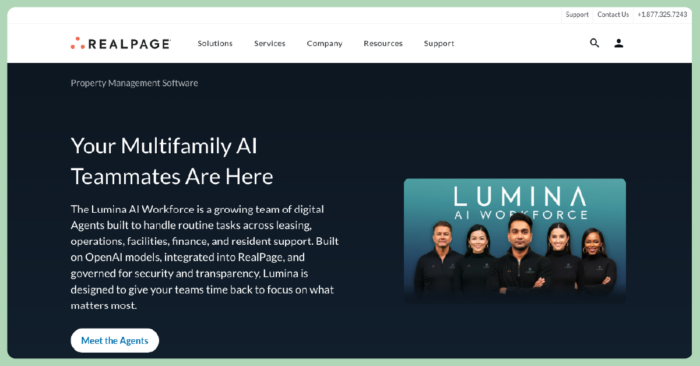
RealPage is a comprehensive property management platform designed specifically for enterprise multifamily portfolios at scale. Unlike traditional systems that rely on disconnected tools or legacy infrastructure, RealPage offers a fully integrated, AI-enabled platform built for the multifamily housing industry. It centralizes everything from leasing and marketing to maintenance and financials—eliminating silos and enabling teams to operate more efficiently at scale.
The platform includes end-to-end property management capabilities covering leasing, operations, and maintenance, along with integrated accounting, budgeting, and financial reporting tools. RealPage’s advanced revenue management and pricing optimization features help you stay competitive, while resident portals provide tenants with access to payments, communication, and service requests. AI-powered analytics deliver real-time performance insights across your portfolio, and the open platform supports integrations and scalable modules that grow with your business.
Pros:
- Fully integrated platform eliminates silos and centralizes data across properties
- AI-powered analytics and business intelligence tools provide deep insights into portfolio performance
- Advanced revenue management and pricing optimization help maximize returns
- Standardized operations across properties improve efficiency at scale
- Real-time performance insights and financial reporting
- Open platform with scalable modules for specialized needs
Cons:
- Built for enterprise scale—may be too complex for smaller firms with the learning curve steep for new users
- Higher price point, and costs can add up across modules
- Implementation can take several months, requiring significant time investment
Pricing
RealPage has custom pricing based on portfolio size, products selected, and implementation needs. You can reach out to them for a quote here.
Who it’s best for: Enterprise multifamily organizations managing large portfolios who need a fully integrated, AI-enabled platform with standardized operations, advanced analytics, and scalable workflows.
Customer reviews: Users appreciate the depth of data, integrated workflows, and reporting capabilities but note that training takes time and the platform is best suited for organizations with the resources to support enterprise-level implementation.
Capterra Review: “My overall experience with RealPage is an excellent one. Being a property manager has become easier with this app. It keeps many things in one place so you don’t lose important information.” – Meghan A. (January 15, 2026)
3. Propertyware
Customizable Property Management Software
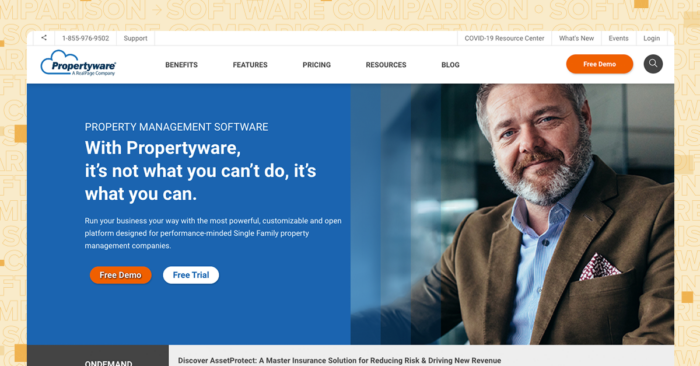
Propertyware is designed for single-family property management with customizable fields and workflows. The platform offers flexibility for companies that want to structure their data in specific ways, with features tailored to scattered-site portfolios and solid accounting capabilities for trust accounting and owner statements.
Pros:
- Strong single-family focus with features tailored to scattered-site portfolios
- Customizable data fields let you track information that matters to your business
- Solid accounting features handle trust accounting and owner statements
- Owner portal included for transparent communication
Cons:
- Setup may require more configuration time to get started
- Some users note the interface could benefit from modernization in certain areas
- Customization options may require additional time to learn
Pricing
Propertyware has three pricing tiers based on a flat fee per unit and a monthly minimum. Each tier comes with the following features:
- Global Customization & Reports
- Marketing
- Property Management
- Owner Portals
- Tenant Portals
- Maintenance
- Accounting
- Screening
- Payments
- Unlimited Support
- Unlimited Storage
- Unlimited Online Training
From there, you get some additional features if you choose the Plus or Premium plan:
- Basic: For $1.00/month/unit and a $250 monthly minimum, you get the basic feature package with unlimited support, storage, and online training.
- Plus: For $1.50/month/unit and a $350 monthly minimum, you get everything in Basic, plus two-way text messaging, eSignatures, and access to the platform’s inspection app.
- Premium: For $2.00/month/unit and a $450 monthly minimum, you get everything in the other two plans, plus maintenance project organization and online vendor portals.
Who it’s best for: Property management companies specializing in single-family rentals who want flexibility in how they structure data and are willing to invest time in setup.
Customer reviews: Users value the customization options and note that getting everything set up takes some patience and technical knowledge.
Capterra Review: “It is user friendly and pretty much has all the info you need within a few clicks. Not like other programs that [are] so complicated.” – Ayelet M. (May 22, 2025)
4. AppFolio
Software for Mid to large-Size Property Management Companies
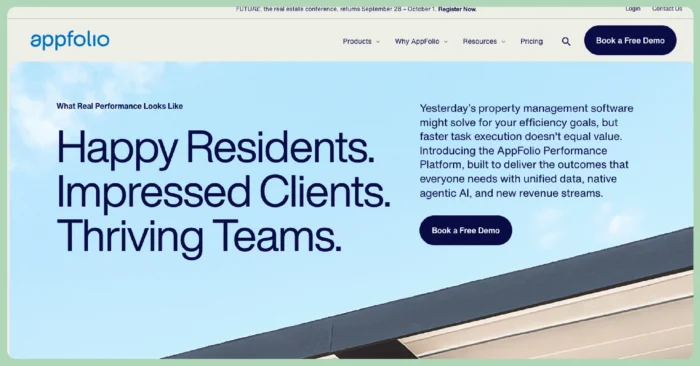
AppFolio is geared toward mid-to-large property management companies and has a mobile-first design with AI-powered features for leasing and communications.
Pros:
- AI leasing assistant for initial inquiries
- Strong mobile app experience for staff
- Integrated marketing website builder
Cons:
- Minimum monthly costs that might not work for some budgets
- Per-unit pricing can be prohibitive for smaller portfolios
- Some features may require additional fees
Pricing
AppFolio lists three property management plans on its pricing page:
- Core: Includes accounting, marketing and leasing, work orders, inspections, mobile access, communication, standard integrations, Realm-X Assistant and Messages, purchase orders, inventory tracking, and standard support. There’s also a minimum unit count.
- Plus: Includes everything in Core, plus affordable housing capabilities, student housing capabilities, advanced budgeting and accounting, advanced data analysis, custom fields, Realm-X Flows, premium integrations, read-only API, enhanced support, and maintenance scheduling and automated billing.
- Max: Includes everything in Plus, plus leasing CRM, Leasing Signals, read/write API, and dedicated customer success management.
AppFolio does not publish plan prices, so you need to contact its team for a quote.
Who it’s best for: Larger property management companies with the budget for premium pricing and an interest in AI-assisted workflows.
Customer reviews: Users often praise the mobile experience but note that costs can become a factor as portfolios grow.
Capterra Review: “For the most part I did not find that it was worth the initial investment, it required too much tinkering with to make fully functional, and customer support was often lacking. AppFolio was often overly-focused on rolling out new features, and not focused enough on fixing what was already there.” – Kyle S. (June 4, 2025)
5. Yardi Voyager
Software for Both Commercial and Residential Portfolios
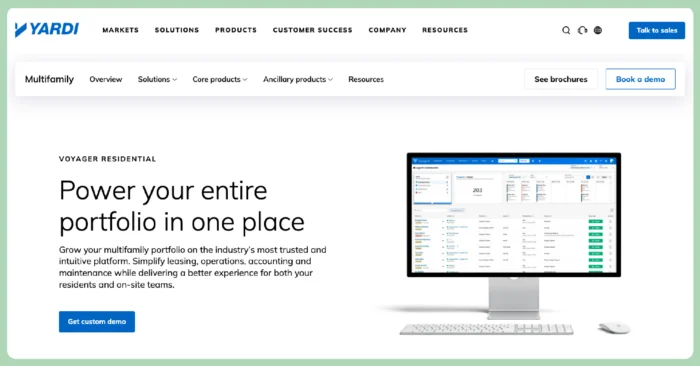
Yardi Voyager is built for enterprise-level portfolios and has both commercial and residential capabilities.
Pros:
- Handles very large, complex portfolios
- Includes investment management features
- Offers energy management integration
Cons:
- Pricing is geared toward enterprise clients
- Can be complex for mid-sized companies
- Mobile capabilities can be limited, depending on your needs
Pricing
Yardi Voyager offers custom quotes built from a platform fee, per-unit pricing, and module add-ons. You’ll have to contact them directly for a quote.
Who it’s best for: Large enterprises that manage thousands of units across different property types.
Customer reviews: Users note its robust functionality but suggest smaller firms might find it to be more than they need.
Capterra Review: “My experience overall with Yardi is good. Just understand what you are paying for and make sure your business is large enough to ‘need’ a package like this.” – Kathleen H. (February 13, 2025)
6. TenantCloud
Useful Rental Property Management Software for Landlords
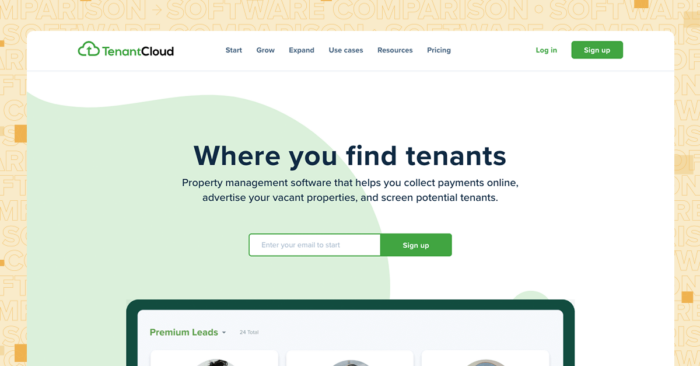
TenantCloud positions itself as an affordable entry point with a free tier for smaller portfolios. The platform includes basic accounting and tenant screening options, making it accessible for those just getting started with property management software.
Pros:
- Free plan available for very small portfolios
- Basic accounting included
- Tenant screening option
Cons:
- Free plan has feature limitations that may affect functionality
- May be less suitable for larger portfolios
- Support options vary by tier
Pricing
TenantCloud has four pricing tiers:
- Starter, $25/month ($15/month billed annually; $180/year): Rent payments, maintenance, listings, and applications; up to 10 leases.
- Growth, $35/month ($29/month billed annually; $350/year): Adds advanced reporting, inspections, and a message board; up to 30 leases.
- Pro, $60/month ($50/month billed annually; $600/year): Adds tax reports, bank reconciliation, and a separate owner portal; up to 60 leases.
- Business, custom from $100/month: Adds team management and interface customization with custom limits.
Who it’s best for: Self-managing owners or very small property management companies testing software for the first time.
Customer reviews: Users appreciate the affordable pricing and note that some may need additional features as portfolios grow.
Capterra Review: “Overall the experience is good. The program has robust programming for applications and I like that I can keep my leases in an electronic format that is shared with tenants.” – Kristen L. (January 17, 2026)
7. Rentec Direct
Great Basic Rental Property Management Software
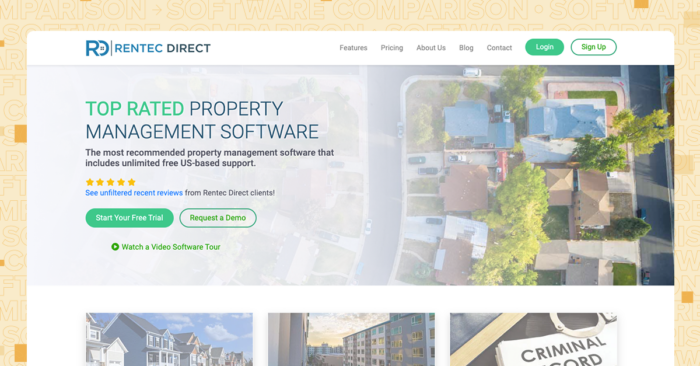
Rentec Direct serves self-managing owners and small property management companies with straightforward accounting and screening. The platform offers trust accounting features and a simple pricing structure designed for smaller operations that prioritize ease of use.
Pros:
- Trust accounting features included
- Tenant screening included
- Simple pricing structure
Cons:
- Mobile features may be more limited compared to some competitors
- Fewer third-party integrations available
- Interface design differs from some newer platforms
Pricing
Rentec Direct has three pricing plans (note that Pro and PM prices rise per unit after the first 20 to 25 units):
- Rentec Starter, flat $25/month: Up to 10 properties with complete accounting, online rent payments, and free setup.
- Rentec Pro, from $50/month: For owners and investors, with unlimited properties and users; the base covers roughly the first 20 to 25 units, then rises per unit.
- Rentec PM, from $50/month: Everything in Pro plus pay-owners-via-ACH and trust account management; per-unit pricing scales above the base after the first 20 to 25 units.
There are discounted rates if you opt to pay annually.
Who it’s best for: Smaller operations that need basic accounting and screening without complexity.
Customer reviews: Users mention reliability and note that some would like to see expanded mobile functionality.
Capterra Review: “Overall, it’s doing what we need. It helps us keep track of all tenant payments, security deposits, and service requests.” – Verified User (June 7, 2025)
8. Hemlane
Easy to Use Single Family Property Management Software
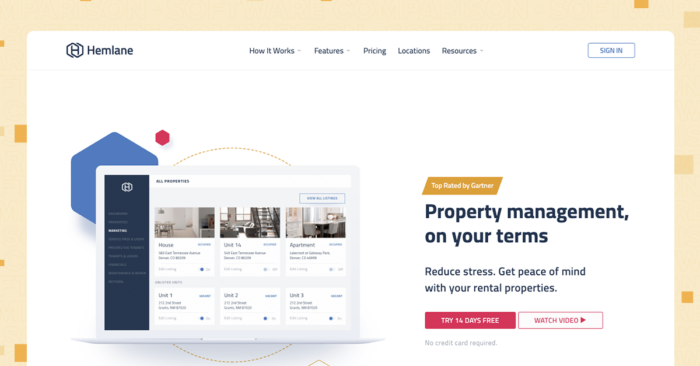
Hemlane offers a hybrid approach, combining property management software with access to local leasing agents. The platform features a clean interface design and includes rent collection, with the option to leverage a network of local agents for property showings.
Pros:
- Local agent network for showings
- Clean interface design
- Rent collection included
Cons:
- Agent services may involve additional fees
- Hybrid model means different level of control over leasing process
- Accounting features may be more limited than some full-service platforms
Pricing
Hemlane uses per-unit pricing plus a $28 base fee.
- Starter, $0/month: Advertising, screening, and full rental accounting.
- Basic, from $30/month ($2/unit plus base): Adds lease tracking, document storage, e-sign, and rent collection.
- Essential, from $48/month ($20/unit plus base): Adds a repair coordinator with 24/7 emergency support and work-order management.
- Complete, from $86/month ($58/unit plus base): Adds tenant communications handled by an assistant and a vetted repair and leasing network.
Who it’s best for: Owners who want help with leasing but want to stay involved in management.
Customer reviews: Users appreciate the agent network and note that availability and effectiveness can vary by market.
Capterra Review: “Pretty good. There are enough gaps & issues that I keep my eyes open for other property management software platforms to switch to, but have chosen to stick with Hemlane so far.” – Joe C (February 7, 2025)
How to Select the Best Property Management Software
After reading property management software reviews, you still have to make a choice. Here’s what to evaluate to find the right fit.
- Portfolio fit: Does the software handle your property types? Some platforms focus on multifamily, others on single-family, and some (such as Buildium) support rentals, associations, and mixed portfolios.
- Growth capacity: Can the platform handle your portfolio as it grows? Look for unlimited user access and scalable pricing.
- Accounting depth: Does the software include full general ledger accounting, or will you need separate bookkeeping tools?
- AI and automation: Does the platform use artificial intelligence to reduce manual work? Look for features that automate workflows, predict maintenance needs, and optimize pricing.
- Compliance tools: Can the software help you stay compliant with trust accounting regulations and local laws? Built-in compliance features reduce risk.
- Integration options: Can you connect existing tools? An open API gives you flexibility for custom workflows.
- Mobile access: Can your team work from the field? Do tenants and owners have mobile apps?
- Support quality: What kind of help is available during setup? Is ongoing support included in your subscription?
- Total cost: What’s included in the base price? Look at per-transaction fees, add-on modules, and setup charges.
Buildium checks these boxes for growing property management companies. The platform includes full accounting, AI-powered automation, compliance tools, unlimited users, open API access, mobile apps for managers and residents, and onboarding support. Buildium offers tiered plans with differing features and provides custom pricing guidance for very large portfolios.
What to Expect When Getting Started with Property Management Software
Once you’ve made a selection, the next step is getting started. Switching to new software takes planning.
Here’s what the process typically involves:
- Data preparation: Gather your property details, tenant information, lease terms, owner data, and financial history. Clean up inconsistencies before migration.
- Migration: Most platforms offer data import tools or migration services. Buildium’s onboarding team helps standardize your data and load it into the system.
- Team onboarding: Schedule time for your staff to learn the new workflows. Video training, live sessions, and documentation all help.
- Timeline expectations: Buildium provides guided onboarding, data migration, and self-paced Academy training to help teams ramp within weeks; actual timelines vary by portfolio and scope. Running parallel systems during transition can reduce risk.
Buildium’s onboarding team handles data migration and provides customized training to your team’s needs. Buildium Academy offers self-paced courses, and support is available throughout the process. Many customers report getting up and running faster than expected because the interface is intuitive from day one.
When It's Time to Switch Property Management Software
Sometimes the software you started with no longer fits your business. Knowing the signs can help you decide when to make a change.
- Operational inefficiency: Tasks that should take minutes take hours. Your team works around the software instead of with it.
- Poor integrations: You can’t connect the tools you need. Data lives in silos, and you’re copying information between systems.
- High costs: Fees keep climbing, or you’re paying for features you don’t use while missing ones you need.
- Poor financial reporting: You can’t get the reports owners expect, or reconciling accounts takes too long.
- Major growth: The software that worked for 50 units struggles with 500. Performance lags, and limitations appear.
- Lack of features: You need capabilities the platform doesn’t offer, and workarounds are eating up time.
Buildium addresses these pain points with purpose-built property management accounting, AI-powered automation that reduces manual work, an open API for custom integrations, transparent pricing, real-time financial reporting, and a platform designed to scale. The onboarding team handles data migration, which can reduce the friction of switching.
Deep Dive: Read our Guide to Switching Property Management Software Platforms
What Property Managers Say About Buildium
Looking at what other property managers say can give you a real-world perspective.
On G2, Buildium holds a 4.4 out of 5 star rating based on hundreds of reviews. Users frequently mention ease of use, responsive customer support, and the depth of accounting features. Capterra and Software Advice reviews show similar patterns, with high marks for usability and support. Users managing mixed portfolios often note that having rentals and associations in one platform simplifies their operations.
Choosing the right software is a big decision, but it’s also an opportunity to set your business up for future growth. The right partner can help you get your systems in order so you can focus on what’s next.
- Find a platform that grows with you: Look for scalable features that support your portfolio today and tomorrow.
- Prioritize ease of use: Your team should be able to learn the software quickly and use it effectively.
- Check for strong support: Good onboarding and ongoing support make a significant difference.
- Look for flexible integrations: An open platform lets you connect the tools that work for your business.
Taking the time to find the right fit can help you put solid operational systems in place. You can schedule a guided demo to see how Buildium works or sign up for a 14-day free trial to explore on your own.
Best Property Management Software FAQ
How Is Buildium’s Customer Support?
All plans include ticket/email support; live phone support is included with Growth and Premium. The support team has won Stevie Awards for customer service, and users consistently rate support quality highly in third-party property management software reviews.
How Much Does Buildium Cost Compared to Other Property Management Software Options?
Buildium offers three pricing tiers with current published starting prices of $62 (Essential), $192 (Growth), and $400 (Premium) per month. Buildium offers tiered plans with differing features and provides custom pricing guidance for very large portfolios.
What Integrations Does Buildium Offer?
Buildium includes an open API for custom integrations and a Marketplace with plug-and-play connections to inspection tools, payment processors, communication platforms, and more; tenant screening is integrated directly via TransUnion. The API gives you access to property, resident, and accounting data for building workflows that fit your business.
How Long Does It Take to Implement Buildium?
Buildium provides guided onboarding, data migration, and self-paced Academy training to help teams ramp within weeks; actual timelines vary by portfolio and scope. Buildium’s onboarding team handles migration and provides customized training, and the intuitive interface helps teams start using core features quickly.