

Choosing residential property management software can get complicated fast. The names may sound similar, but the day-to-day experience can be very different once your team starts putting features to the test.
This guide compares six residential property management platforms for 2026, including what each one does well, what it costs, and where it may fit best based on your portfolio size, budget, and operating needs.
What Is Residential Property Management Software?
Residential property management software is a platform for managing rental housing operations, including single-family rentals, multifamily properties, and apartment communities.
At a basic level, it keeps the work tied to each property, unit, resident, owner, lease, payment, and repair in one place. That can include rent collection, accounting, leasing, maintenance tracking, resident communication, owner reporting, and document storage.
The depth of those tools varies by platform. Some are built for simple rent tracking and expense management, while others support larger teams with advanced accounting, automation, reporting, integrations, and mixed-portfolio workflows.
Key Features to Look for in Best Residential Property Management Software
Before comparing platforms, get clear on the workflows the software needs to support. The best fit is not always the platform with the longest feature list. It is the one that handles your highest-volume work without adding extra steps for your team.
Accounting and Financial Management
Property management accounting goes beyond basic income and expense tracking. Look for tools that connect rent payments, deposits, vendor bills, owner payouts, bank reconciliation, and property-level reports in one workflow. If you manage funds on behalf of owners, pay close attention to trust accounting support, owner statements, 1099 e-filing, and how clearly the platform separates activity by property, owner, and account.
Online Rent Collection
Residents should be able to pay through a portal or mobile app using common payment methods such as ACH, debit card, or credit card. Capabilities to look out for include autopay, scheduled reminders, automatic late fees, and real-time ledger updates, so your team can track payments and follow up on overdue balances without extra data entry.
Leasing and Tenant Screening
A leasing workflow should help your team move a vacant unit from listing to signed lease without re-entering the same information at each step. That can include listing syndication, online applications, applicant tracking, screening reports, eSignatures, document storage, and renewal reminders.
Maintenance and Work Order Management
Maintenance tools need to make requests easier to capture, route, and close out. Residents should be able to submit repair details with photos or videos, while your team tracks work orders, assigns vendors, updates status, and connects costs to the right property or unit. If maintenance volume is high, compare recurring task scheduling, vendor communication, and after-hours support options.
Tenant and Owner Portals
Self-service portals can reduce routine calls and emails. Residents can pay rent, submit maintenance requests, view balances, and access documents. Owners can review statements, reports, shared files, and property activity without asking your team for every update.
Owner Reporting and Expense Management
Owner reporting is one of the clearest places to compare platforms. Look at how each system tracks expenses, categorizes vendor bills, prepares owner statements, and reports on property performance. For residential property managers, clean owner reporting can make a major difference in client communication and month-end workflows.
Reporting and Analytics
Standard reports such as profit and loss statements, rent rolls, delinquency reports, and vacancy reports should be easy to access. More advanced platforms may include customizable dashboards, portfolio-level reporting, and performance insights that help you spot trends before they become larger issues.
Automation, AI, and Integrations
Automation can reduce repetitive work around rent reminders, late fees, lease renewals, recurring charges, maintenance updates, and owner communications. Some platforms also include AI-assisted writing, bill scanning, report analysis, or task support. Integrations matter too, especially if your team relies on outside tools for accounting, payments, screening, insurance, or marketing.
6 of the Best Residential Property Management Platforms for 2026
The platforms below are not built for the exact same buyer. Some are better suited to small portfolios that need affordable rent collection and basic accounting. Others are built for professional property management teams that need owner reporting, maintenance workflows, trust accounting, integrations, and room to grow.
#1: Buildium
All-in-One Property Management Software for Residential Portfolios
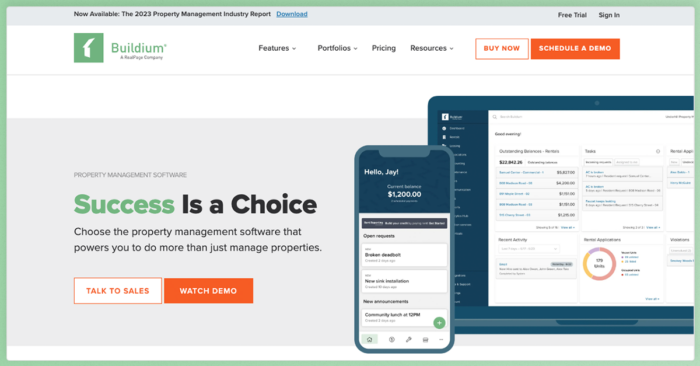
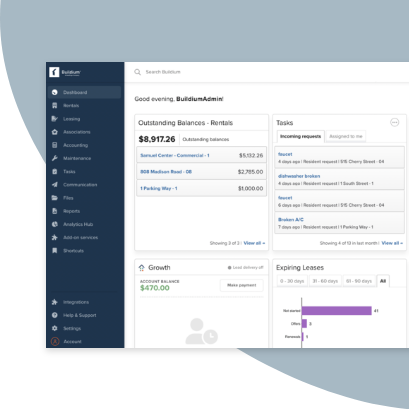
Buildium® is a cloud-based property management platform built for residential property managers who need accounting, leasing, maintenance, payments, owner reporting, and communication tools in one connected system. It also supports mixed portfolios, including rental properties and community associations, so teams do not need separate platforms as their business grows.
Features
- Online rent collection with ACH transfers, credit card payments, and autopay options
- Tenant screening powered by TransUnion with credit, background, and income verification reports
- Lease management with online applications, eSignatures, renewal tracking, and centralized document storage
- Maintenance request tracking with vendor assignment, work order status updates, and cost logging
- Maintenance Contact Center for after-hours call answering
- Full accounting suite including general ledger, bank reconciliation, 1099 e-filing, owner statements, and trust accounting support
- Dedicated owner portals with financial reports, document access, and property performance tracking
- Resident portals for rent payments, maintenance requests, and team communication
- Lumina AI suite for communications, financial tasks, and operational automation
- Buildium Marketplace, a wide collection of pre-integrated partner solutions and an open API for connecting with existing business tools
- All Property Management integration for new owner lead generation
- Buildium Rewards program for additional revenue through cash-back on resident spending
Pricing
- Essential: Starting at $62/month. Includes core accounting, maintenance tracking, leasing, standard reporting, and an AI assistant.
- Growth: Starting at $192/month. Adds more customization, reporting automation, enhanced tenant screening, lower-cost eSignatures and EFT transactions, AI-enhanced communications, business analytics, live phone support, and customized onboarding
- Premium: Starting at $400/month. Includes everything in Growth plus open API access, free inspections, free eSignatures, first-year free incoming EFT, the full AI and automation suite, and priority support.
Visit Buildium’s website for full pricing details.
2. RealPage
Enterprise-Scale Multifamily Property Management Platform
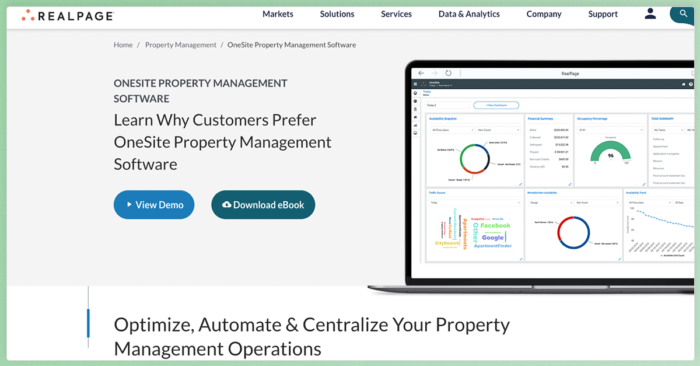
RealPage® is a property management technology platform built for large multifamily operators. It is generally a fit for enterprise portfolios that need a broader suite of tools for leasing, operations, revenue management, resident experience, accounting, and analytics.
Features
- End-to-end property management covering leasing, operations, accounting, and resident experience
- Integrated accounting and budgeting tools designed for large-scale multifamily portfolios
- Revenue management and pricing optimization powered by market analytics
- Resident portals and communication tools
- AI-powered analytics for operational insights and portfolio performance
- Open platform architecture with integrations for the multifamily industry
Pricing
RealPage uses a custom pricing model based on portfolio size, selected products, and implementation scope. The pricing is not publicly listed, so you’ll have to contact RealPage directly for a quote tailored to your portfolio.
3. TenantCloud
Budget-Friendly Property Management for Growing Portfolios
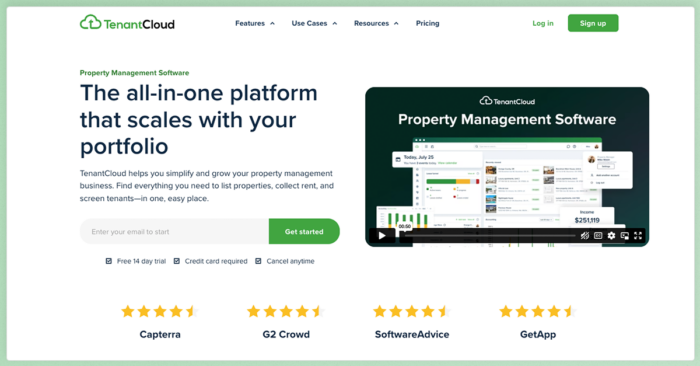
TenantCloud® is a property management platform aimed at independent property managers and smaller residential portfolios that need an affordable starting point for rent collection, leasing, maintenance tracking, and tenant communication.
Features
- Online rent collection with ACH and credit card payment options
- Tenant screening options, with applicant-paid reports available
- Online lease management with electronic signature support
- Maintenance request tracking and work order management
- Listing and application tools for advertising rentals and collecting applications
- Owner portal for owner records, reports, and property information
- Property management reports, including rent roll, Schedule E, depreciation, and amortization reports
Pricing
- Starter: $18/month. Supports up to 10 leases, one bank account, and core features.
- Growth: $35/month. Up to 30 leases with enhanced reporting, inspections, and three bank accounts.
- Pro: $60/month. Up to 60 leases with bank reconciliation, owner portal, tax reports, and nine bank accounts.
- Business: Custom pricing starting at $100/month. Adds team management and UI customization.
4. Rent Manager
Customizable Property Management Software for Complex Portfolios

Rent Manager® is a customizable property management platform built for companies that need more control over workflows, reports, and portfolio setup. It supports multiple property types, including residential, commercial, associations, student housing, manufactured housing, and self-storage, but its depth and quote-based setup may be more than smaller residential teams need.
Rent Manager Features
- Accounting with rent collection, owner payments, bank reconciliation, and financial management tools
- Maintenance with service issues, work orders, inspections, maintenance scheduling, make-ready boards, and project management
- Payments for tenant payments, owner contributions and distributions, and vendor bills
- Resident app access for payments, maintenance requests, and resident account activity
- Software customization through custom workflows, API access, and business-specific configurations
- Integrations for connecting Rent Manager with other property management technologies
- Reporting and analytics through custom reports and predefined reports for financials, vacancies, tenant transactions, and budgeting
Pricing
Rent Manager offers three bundles: Basic, Plus, and Premium.
- Pricing is quote-based and not publicly listed on Rent Manager’s official pricing page.
- The implementation package is priced at 2x the monthly fee.
- API access is available as an add-on.
5: Baselane
Banking and Bookkeeping Tools for Rental Property Owners
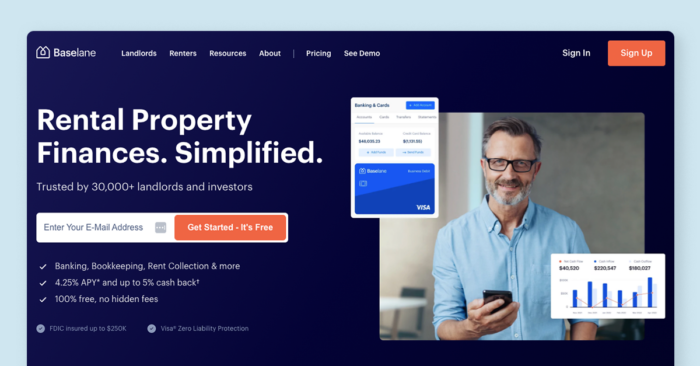
Baselane® is a finance-first platform built around rental banking, bookkeeping, rent collection, and tax reporting. It can be a fit for landlords and owner-operators who want property-level financial organization, but teams that need deeper leasing, maintenance, owner reporting, or portfolio operations may need a broader property management platform.
Features
- Banking with property-specific accounts, debit cards, and account organization tools
- Rent collection with online payments, autopay, reminders, and late fee settings
- Bookkeeping with automated income and expense tracking
- Reporting with rental property financial reports and tax-ready reporting
- Tenant portal for online payments and autopay enrollment
- Mobile app for managing rental finances on the go
Pricing
- Core: $0/month. Includes banking, bookkeeping, rent collection, reports, and mobile access.
- Smart: $20/month. Adds advanced automation and premium features such as AI auto-tagging, auto-receipt matching, faster rent deposits, custom categories, shared access, and priority support.
Baselane is a financial technology company, not a bank. Banking services are offered through Thread Bank, Member FDIC.
6. Hemlane
Property Management Software with Optional Service Support
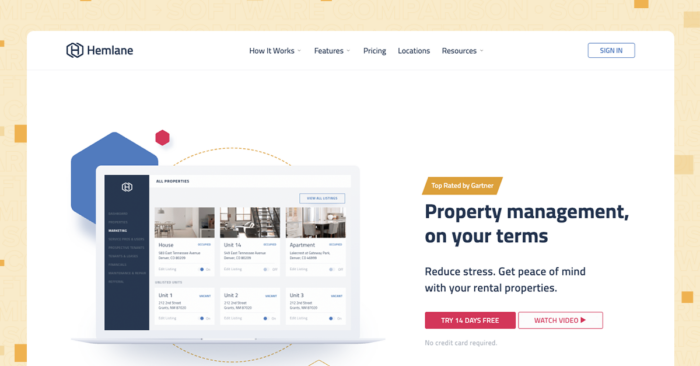
Hemlane® combines rental property management software with optional human support for tasks such as repair coordination, leasing, and tenant communication. It can be useful for landlords and owner-operators managing remotely, but the per-unit service pricing can add up as portfolios grow.
Features
- Online rent collection with autopay, reminders, late fee settings, and payment tracking
- Maintenance and repairs with tenant-submitted requests, repair tracking, and vendor communication
- Repair coordination with 24/7 support, troubleshooting, and service professional coordination
- Accounting with bank transaction syncing and rental performance tracking
- Tenant tools for lease access, online payments, maintenance requests, and communication
The key distinction with Hemlane is its hybrid model. Beyond the software, you can add on services such as 24/7 repair coordination, local leasing agents, and a property management assistant, depending on your plan tier.
Pricing
- Starter: Free forever. Includes advertising, screening, and basic accounting.
- Basic: $30/month, calculated as a $28 base fee plus $2 per unit. Adds lease management, eSignatures, rent collection, and $0 ACH processing.
- Essential: $48/month, calculated as a $28 base fee plus $20 per unit. Adds 24/7 repair coordination, work order management, and state-specific leases.
- Complete: $86/month, calculated as a $28 base fee plus $58 per unit. Adds property management assistant support, access to a vetted repair network, repair thresholds and approvals, VIP support, and access to local leasing and turnover support.
How to Choose the Best Residential Property Management Software
Once you have a shortlist, compare each platform against the work your team handles most often. A lower monthly price will not help much if the software still leaves you reconciling payments by hand, chasing maintenance updates through email, or rebuilding owner reports outside the system.
- Start with your highest-volume workflows. Identify the tasks that take the most time today, such as rent collection, maintenance coordination, leasing, accounting, owner reporting, or resident communication. The best fit is the platform that handles those workflows with the fewest extra steps.
- Compare portfolio fit. Some platforms are built for smaller rental portfolios, while others support larger teams, mixed property types, associations, or more complex accounting needs. If you manage both rentals and associations, make sure the software can support both without forcing your team into separate systems.
- Look at the full pricing model. Monthly subscription costs are only part of the equation. Compare add-on fees for eSignatures, screening reports, payment processing, inspections, onboarding, implementation, API access, and premium support. A platform that looks inexpensive at first can cost more once your portfolio grows or your team needs additional features.
- Test ease of use and onboarding. During a trial or demo, walk through the tasks your team performs every week: posting a payment, creating a lease, assigning a work order, sending an owner statement, or pulling a report. Pay attention to how much training and setup support is included.
- Review reporting and owner communication. Property owners expect clear updates on income, expenses, maintenance, occupancy, and performance. Look for owner portals, automated statements, shared documents, and reports that do not require your team to export data into spreadsheets.
- Check integrations and flexibility. Your property management software should connect with the tools you already use for payments, screening, listings, accounting, insurance, or marketing. For larger teams, an API or marketplace of integrations can make it easier to adapt the platform as the business grows.
- Think beyond your current door count. A platform that works at 20 units may feel limiting at 200. Review user permissions, approval workflows, automation, reporting depth, support options, and pricing tiers so you do not have to switch systems right when your business is gaining momentum.
Which Residential Property Management Software Is Best for You?
At the end of the day, the right residential property management software for you depends on your business needs and goals.
For example, Propertyware may be best if you manage mostly single-family homes, while RealPage OneSite Leasing and Rents may be better if you manage a large multifamily portfolio.
But if you want a dynamic platform that can grow with your business, Buildium stands out. Not only is it compatible with many portfolio types and sizes, leaving the door open to growth, but you can combine it with other tools via its Open API and Marketplace integrations, future-proofing your business for the long haul.
You can find out if Buildium’s a good fit by signing up for a product demo or a free 14-day trial with no up front obligation.
Take the Next Step Toward the Right Platform
You now have a clearer sense of how these residential property management platforms compare across features, pricing, and portfolio fit. The next step is to test the options that match your operation most closely and see how they handle the work your team does every day.
For property managers who want accounting, leasing, maintenance, payments, owner reporting, and communication in one connected system, Buildium is a good place to start. You can try it out with a 14-day free trial or schedule a guided demo to walk through the platform with a product specialist.
Frequently Asked Questions
Which Property Management Software Works Well for Small Owners?
The answer depends on your budget and how many units you manage. For property managers looking for a full-featured platform with transparent pricing and no per-user charges, Buildium covers accounting, leasing, maintenance, and communication in one place. If you are looking for a lower-cost starting point, TenantCloud offers plans starting at $18 per month. For a free option, Innago includes core property management features at no cost to the property manager.
Is There Free Property Management Software?
Yes. Innago offers a completely free plan that includes rent collection, lease management, tenant screening, maintenance tracking, and financial reporting. Baselane also has a free tier focused on banking and bookkeeping for rental properties. Hemlane offers a free starter plan with advertising, screening, and basic accounting. In each case, some costs (such as payment processing or screening reports) are typically passed to the tenant or applicant.
What Features Should Property Management Software Have?
At a minimum, look for online rent collection, lease management, tenant screening, maintenance tracking, and accounting. Beyond the basics, features such as owner and tenant portals, automated workflows, reporting dashboards, and electronic signatures can save you significant time. If you manage a mixed portfolio of rentals and associations, make sure the platform supports both property types.
How Much Does Property Management Software Cost?
Pricing ranges from free to several hundred dollars per month, depending on the platform and your portfolio size. Free options such as Innago pass costs to tenants. Mid-range platforms such as TenantCloud start at $18 per month. Full-featured platforms such as Buildium start at $62 per month for basic plans and go up to $400 per month for premium tiers with advanced automation and API access. Some enterprise platforms use custom, quote-based pricing.
Can Property Management Software Handle Multiple Properties?
Yes. Most property management platforms are designed to manage multiple properties from a single account. You can typically track financials, leases, maintenance, and communications at the property level while viewing portfolio-wide dashboards and reports. Platforms such as Buildium also support mixed portfolios, letting you manage rental properties and community associations side by side.