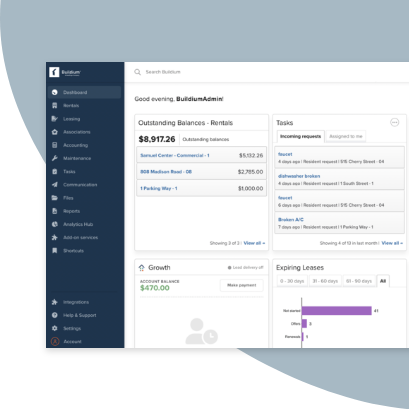
Paper forms and generic software cost you time, let details slip through, and force you to enter the same data multiple times. Purpose-built software removes all of those pain points.
This post compares eight inspection tools built for rental portfolios so you can pick the one that fits how your team works. It covers standalone apps and all-in-one platforms, with real pricing where vendors publish it.
What we’ll cover:
- A side-by-side comparison table of all eight platforms
- Our take on who each option suits
- Platform breakdowns, with pricing and feature details
- How to choose the right inspection software for your team
Property Management Inspection Software at a Glance
Here’s how the eight platforms compare on the details that matter most when you are shortlisting a tool:
| Platform | Best for | Starting price | Free trial | Mobile app | Standalone / all-in-one |
|---|---|---|---|---|---|
| Buildium | All-in-one with built-in inspections | $62/month | Yes (14-day) | Yes | All-in-one |
| HappyCo | Large multifamily workflows | Quote-based | No | Yes | Standalone |
| Inspectr | AI-driven asset and maintenance operations | Quote-based | No | Yes | Standalone |
| zInspector | Detailed mobile and 360° capture | Free plan; from $60/mo (100 units) | Yes (15-day) | Yes | Standalone |
| SnapInspect | Customizable inspection reports | Quote-based | Yes (14-day) | Yes | Standalone |
| Property Inspect | Compliance and commercial portfolios | From $49/month | Yes (14-day) | Yes | Standalone |
| RentCheck | Resident-completed inspections | ~$1/unit/month | Yes (14-day) | Yes | Standalone |
| myInspections | Fast, no-frills routine inspections | $8/month | Yes (14-day) | Yes | Standalone |
Our Take
This list is for hands-on property managers running move-in, move-out, routine, and turn inspections across dozens to a few hundred units.
1. Buildium
Best for Property Managers Who Want Inspections Inside One System
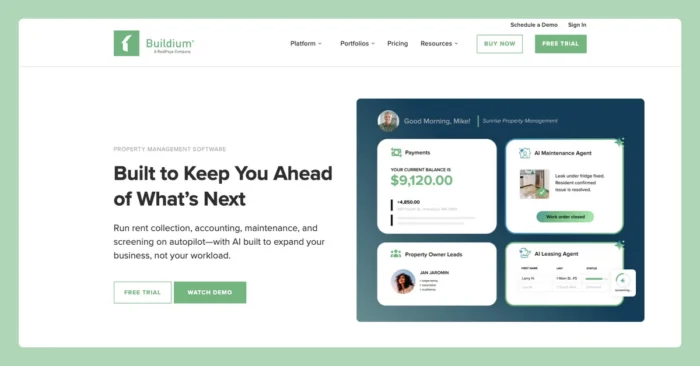
Buildium is a cloud-based property management platform, and inspections are built right in. It’s inspection capabilities are also supported by HappyCo’s technology, so you get tailored features connected to a broader platform for management and operations.
The inspection tools let your field data sync back into the same system that runs your maintenance and accounting. You capture the inspection on your phone, and the findings show up where your team already works. For a lean team juggling a lot of doors, that means fewer disconnected apps and less double entry.
Buildium Features
Buildium’s inspection tools sit inside a platform that also handles accounting, maintenance, leasing, and resident communication, so what you record in the field connects to the rest of your operation.
- Mobile inspection app: Run inspections from your phone or tablet with the mobile inspection app on iOS and Android, with unlimited app users so your whole team can pitch in.
- Customizable templates: Build inspection templates that match your move-in, move-out, routine, and turn workflows, then reuse them across your portfolio.
- Offline capture: Record photos, notes, and results in units with no signal, and sync once you are back online.
- Photos, notes, and reports: Attach photos and notes to each item and generate a shareable report when you are done.
- Maintenance connection: Send inspection findings straight into your maintenance workflow, so a flagged issue can become a work order without re-keying it.
- One system of record: Inspection data lives alongside your accounting, your resident center, the owner portal, the marketplace, and an open API, so your whole operation stays in one place.
- A maintenance AI agent that helps summarize work orders and keep maintenance moving with less manual follow-up.
Buildium Pricing
Inspections are available on all three Buildium pricing plans. Here is how the tiers break down.
- Essential ($62/month): Basic accounting, maintenance, and leasing, plus the AI Assistant and standard and bulk reporting. Property inspections are an add-on ($99 setup, then $40 to $95/month).
- Growth ($192/month): Everything in Essential, plus more customization and reporting automation, enhanced tenant screening, lower-cost eSignatures and EFT, and AI-enhanced communications and analytics. Property inspections are included.
- Premium ($400/month): Everything in Growth, plus open API access, the full AI and automation suite, and free inspections and eSignatures.
Buildium offers a 14-day free trial with no credit card required.
2. HappyCo
Best for Multifamily Operators Standardizing Inspections at Scale
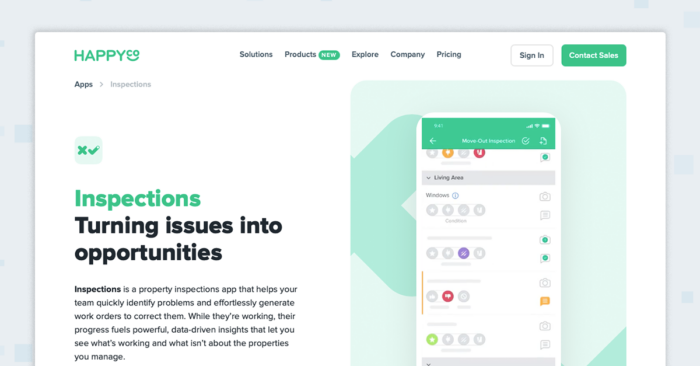
HappyCo is an onsite operations platform for multifamily properties, covering inspections, maintenance, and unit-turn work. It is the technology that powers Buildium’s built-in inspections. HappyCo is built for larger multifamily operators standardizing inspection workflows across many units.
HappyCo Features
HappyCo focuses on multifamily onsite operations, with inspections as one part of a broader make-ready workflow.
- Mobile inspections: Teams run inspections from a mobile app. Results feed into the platform.
- Unit-turn make-ready board: A make-ready board tracks unit turns. It is oriented toward multifamily turn workflows.
- Work orders and vendor management: The platform handles work orders and vendor management. These connect inspection findings to repairs.
- PMS integrations: It integrates with property management systems. Integration scope depends on your system of record.
- Real-time reporting: Reporting updates in real time. This suits operators tracking many units at once.
HappyCo Pricing
HappyCo does not publish pricing, so pricing is quote-based. Book a demo through the HappyCo site to get a quote for your portfolio.
3. Inspectr
Best for Teams That Want AI Agents Running Asset Work
Inspectr is an AI layer for facilities and asset management that turns building data into completed work, such as condition assessments, asset profiles, and maintenance plans. It is built for the owners, operators, and vendors who run a portfolio, and it works alongside your existing systems. Property inspections are one capability within a broader asset-operations product.
The platform also integrates with Buildium for a single source of truth across your operations.
Inspectr Features
Inspectr organizes its work around AI agents that handle asset and maintenance tasks, with property inspections as one piece.
- Property inspections: Runs consistent condition assessments and turns findings into records. Inspections are one part of a wider asset workflow.
- Equipment and asset profiling: Builds asset records from photos and data. It extracts specs and indexes manuals.
- Preventive maintenance and work orders: Generates preventive maintenance programs and job plans for issues. These link inspection findings to maintenance work.
- Capital and diligence reports: Produces capital plans and ASTM-style property condition assessment reports. These support budgeting and due diligence.
- AI agents and workflows: You can teach it a process and keep approvals where you want control. It learns work that repeats.
- Integrations: Connects to the systems you already use, including property management platforms. Integration scope depends on your setup.
Inspectr Pricing
Inspectr does not publish fixed pricing, and it bills for completed work rather than seats, units, or square footage.
- Outcome-based billing: You pay for completed work, such as inspections run, assets profiled, work orders scoped, and reports delivered.
- Custom quote: Inspectr scopes pricing around your portfolio size, asset base, and workflow volume. Request a quote or book a demo.
4. zInspector
Best for Teams That Want a Dedicated Inspection Toolkit
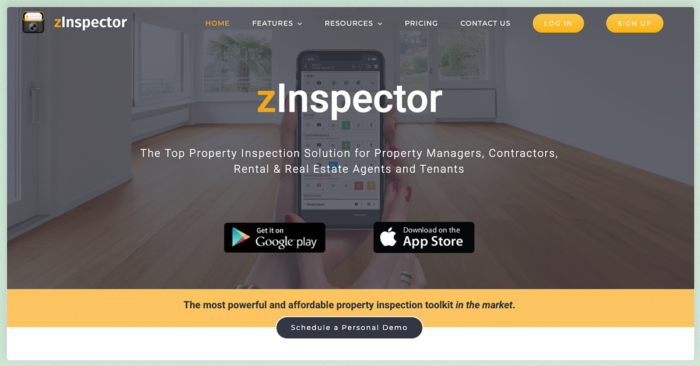
zInspector is a dedicated property inspection toolkit with a mobile app and an office web portal. It is built for property management teams handling inspections across a portfolio of units. The platform focuses on field capture, reporting, and issue tracking. It does not cover broader property management functions such as accounting or leasing.
zInspector Features
zInspector centers on mobile capture and reporting, with several features aimed at documenting unit condition.
- Mobile app: The app runs on iOS and Android. Your team records inspections from the field.
- 360-degree; photo capture: The platform supports 360° photo capture. A compatible camera is sold separately, so plan for that added purchase.
- Custom templates: You can build custom inspection templates. Templates are reused across inspections.
- Reports and video: The tool generates inspection reports and supports video. Both document unit condition over time.
- Issue and task tracking: You can log issues and assign follow-up tasks. This keeps inspection findings in one place.
zInspector Pricing
zInspector prices per unit, so the cost depends on your portfolio size. As an example, here is what the per-unit plans run for a 100-unit portfolio billed monthly (annual billing takes 10% off). There is also a Free plan for one user and up to five properties, though that will not fit a 100-unit portfolio. A 15-day free trial is available with no credit card, and a compatible 360-degree camera is sold separately.
- Core ($60/month for 100 units, $0.60 per unit): Team collaboration and custom permissions, unlimited users and devices, and unlimited inspections with customizable templates and tenant-completed inspections.
- Plus ($85/month for 100 units, $0.85 per unit): Everything in Core plus property management integrations (Rentec Direct, AppFolio, Propertyware, Rentvine, and Buildium in beta), a tenant app builder, and zData capture.
- Max ($115.50/month for 100 units, about $1.16 per unit): Everything in Plus plus an AI assistant, open API, Rent Manager and Property Meld integrations, 360 virtual tours, and white-label branding.
- Enterprise (quote-based): Priced by seat count, for example 20 users listed at $600/month, with a shared portfolio, open API, and white-label branding.
Check the pricing page for a quote based on your own users and units.
5. SnapInspect
Best for Customizable Inspection Reports
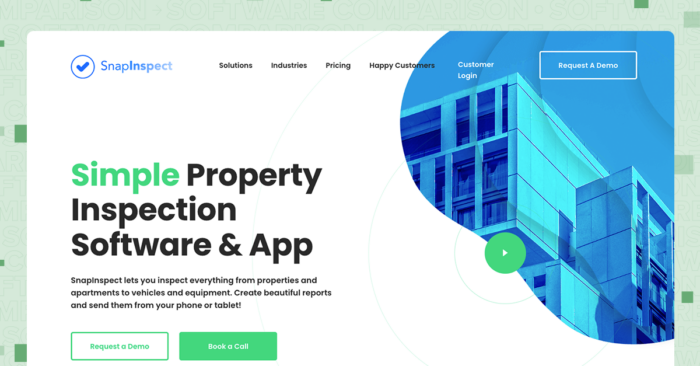
SnapInspect is an inspection app and software product for property teams. It runs on iOS, Android, and desktop, and it focuses on inspections and report generation. The platform is built for property managers documenting unit condition across a portfolio.
SnapInspect Features
SnapInspect combines a field app with a report builder, along with several workflow features on higher tiers.
- Offline app: The app works offline on iOS and Android. Inspections sync when you reconnect.
- Checklist editor and report builder: You can edit checklists and build custom reports. Reports export to PDF and Word.
- Video and eSignature: The tool supports video inspection and eSignature capture. Both are recorded in the app.
- Scheduling, maps, and GPS: You can schedule inspections and view maps and GPS data. This helps route field work.
- Higher-tier additions: Premium and Enterprise tiers add task and work-order management, conditional logic, an API, and BI dashboards. Lower tiers do not include these.
SnapInspect Pricing
SnapInspect prices per managed asset on a monthly basis with no long-term contract, across Essential, Premium, and Enterprise tiers. Visit the pricing page to request a custom quote.
6. Property Inspect
Best for Compliance-Heavy and Commercial Portfolios
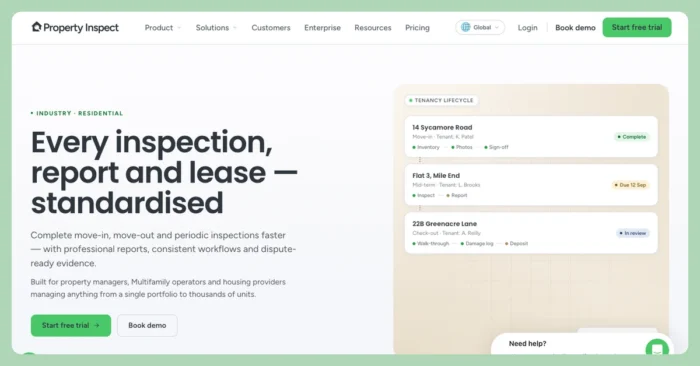
Property Inspect is an inspection, audit, and compliance platform for property teams, with users across many countries. It orients toward compliance-heavy and commercial workflows. The platform is built for teams that need audit trails and detailed reporting alongside standard inspections.
Property Inspect Features
Property Inspect covers field capture, reporting, and a set of features aimed at compliance and commercial use.
- Templates and field capture: You can use templates and capture photos, voice notes, signatures, and GPS data. Capture happens in the field.
- Actions and maintenance: The tool tracks actions and maintenance items. Findings can be assigned as follow-ups.
- Branded and interactive reports: Reports come as branded PDFs and interactive web reports. Both document inspection results.
- Audit trail and dashboards: The platform keeps a tamper-proof audit trail and reporting dashboards. These support compliance reviews.
- Remote and multi-site tools: It offers tenant self-assessments, live remote video inspections, and multi-site hierarchies. These fit distributed or commercial portfolios.
- Integrations: It connects with MRI, Yardi, Salesforce, Zapier, and a REST API. Integration scope depends on your other systems.
Property Inspect Pricing
Property Inspect publishes its plans, with a 14-day free trial and no credit card required. The rates below reflect annual billing (annual saves two months versus paying monthly), and every plan includes unlimited properties and the core capture-report-action-audit workflow.
- Solo ($49/month): A single user and 100 properties included ($0.45 per additional property), with limited inspections, branded reports, and email support.
- Standard ($97/month): Two users included ($10 per additional user) and 250 properties, with unlimited inspections, unlimited client logins, and phone support.
- Pro ($275/month): 10 users included ($15 per additional user) and 500 properties, adding CRM integrations (MRI, Yardi), advanced form building and workflow features, white-label reports, and priority support.
- Enterprise (custom): Everything in Pro plus custom SLAs, SOC 2 and Cyber Essentials Plus, SSO, SAML and SCIM, secure API access, and a dedicated customer success manager.
7. RentCheck
Best for Teams That Want Residents to Self-Perform Inspections
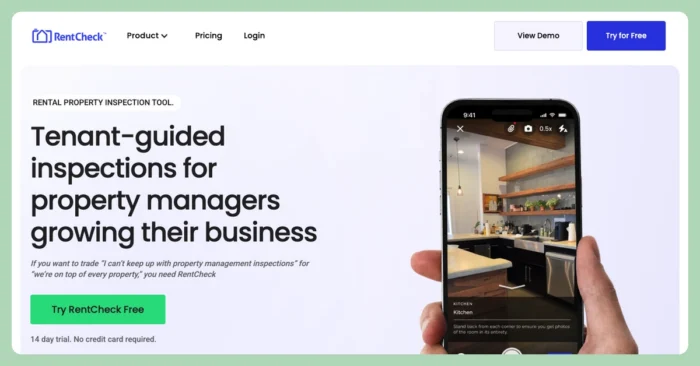
RentCheck is an inspection platform built around resident-guided inspections, alongside team-performed ones. Residents complete guided inspections from their own phones, which means the model depends on residents finishing them. The platform is built for teams that want to shift routine inspection capture to residents.
RentCheck Features
RentCheck supports both resident-guided and team inspections, with templates and reporting for move-in and move-out.
- Tenant-guided and team inspections: Residents can self-perform guided inspections, and teams can run their own. The resident model depends on residents completing the inspection.
- Pre-built templates: The platform includes templates for move-in, move-out, and annual inspections. These cover common inspection types.
- Photo and video capture: It supports in-app photo, 360° photo, and video. All document unit condition.
- Automated scheduling and reminders: The tool schedules inspections and sends reminders. Reminders prompt residents to complete their part.
- Comparison and branded reports: It generates move-in and move-out comparison reports and branded reports. These document condition changes.
- Integrations: It connects with AppFolio, Rent Manager, RentVine, Buildium, Zapier, and an API. Integration scope depends on your other systems.
RentCheck Pricing
RentCheck prices per unit, with tiers starting at:
- Grow tier: $1/unit/month
- Accelerate tier: $1.25/unit/month, plus a custom
- Enterprise tier: Custom pricing
The platform offers a 14-day free trial with no credit card required.
8. myInspections
Best for Smaller Teams That Want a Simple Workflow
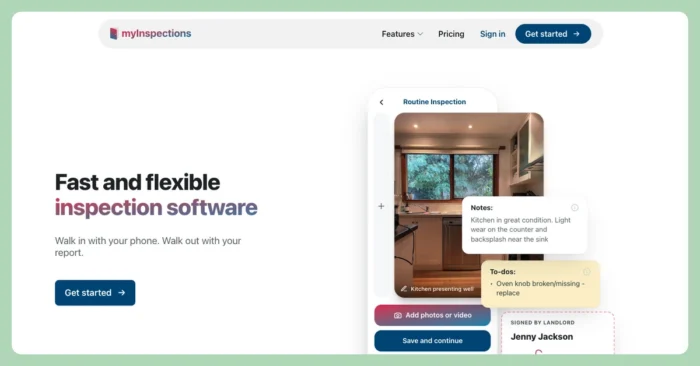
myInspections is inspection software focused on fast, simple routine inspections. It carries a lighter feature set than enterprise inspection tools. The platform is built for smaller teams that want a straightforward inspection workflow without extra complexity.
myInspections Features
myInspections covers the core of routine inspection work, with templates, reporting, and team assignment.
- Reusable templates and checklists: You can build reusable templates and room-by-room checklists. These speed up recurring inspections.
- Phone capture: The app captures photos, video, and mark-ups from your phone. Capture happens in the field.
- Assignments and permissions: You can assign inspections and set permissions. This suits small teams sharing the work.
- Branded reports and signing: The tool generates branded reports and secure share-link signing. Reports document results.
- Portfolio import and reminders: It supports portfolio CSV import, recurring reminders, a dashboard, and unlimited storage. These handle routine, recurring inspections.
myInspections Pricing
myInspections publishes tiered pricing with a free option and no contract.
- Free: Eight inspections per year with 12-month storage.
- Landlord ($8/month): A basic paid tier for individual owners.
- Manager ($25/month): Adds three seats, templates, and branded reports.
- Team ($50/month): Adds unlimited seats, assignment and planning tools, and free onboarding.
How to Choose Property Management Inspection Software
The right tool depends on how your inspections fit into the rest of your work, from your rental inspection process to the reports you hand owners. A few questions can narrow the field fast.
- Standalone app or all-in-one? A dedicated app can be a good fit if you already have a system of record. If you would rather not add another disconnected tool, an all-in-one keeps inspections next to your accounting and maintenance.
- Mobile and offline capture: Your team needs to record photos and notes in units that may have no signal, so check that the app captures offline and syncs later.
- Report speed and sharing: Look at how fast you can generate a report and share it with owners and residents.
- Connection to maintenance and accounting: Consider whether a flagged issue can become a work order, and whether that data reaches your books without re-keying.
- Ease of setup: A lean team cannot spend weeks on training, so weigh how quickly you can get up and running.
- Price: Compare published pricing against quote-based options, and factor in add-ons such as cameras or setup fees.
For property managers who want fewer disconnected tools, Buildium is often a safe choice. Inspections are built in, they connect to the maintenance and accounting you already run, and the platform is designed to be quick to learn. That combination tends to matter most for hands-on teams managing a growing portfolio.
The Right Inspection Software Keeps Your Properties in Good Shape
Good inspections protect your units, document condition for owners and residents, and catch small repairs before they grow. Any tool on this list can record an inspection. The difference comes down to how well that inspection data connects to the rest of your work and how little time it takes your team to keep up.
If you want inspections, maintenance, and accounting working together in one system that is quick to learn, Buildium is worth a close look: you can see how it fits your portfolio with a 14-day free trial or by walking through the platform with a guided demo.
Frequently Asked Questions
What Software Do Property Managers Use for Inspections?
Property managers use a mix of dedicated inspection apps and all-in-one property management platforms. Dedicated tools such as zInspector, SnapInspect, and Property Inspect focus on field capture and reporting. All-in-one platforms such as Buildium build inspections into the same system that runs accounting, maintenance, and leasing, so the data stays in one place.
Is There Free Property Management Inspection Software?
Some tools offer a free tier or a free trial. myInspections has a free plan that covers a set number of inspections per year, and several platforms, including Buildium, zInspector, SnapInspect, Property Inspect, and RentCheck, offer free trials so you can test the workflow before you pay.
How Much Does Inspection Software Cost?
Pricing varies widely. Published options start around $8/month for a basic myInspections plan, roughly $1/unit/month for RentCheck, $49/month for Property Inspect, and $62/month for Buildium, which includes inspections on every plan. A few platforms, such as SnapInspect and HappyCo, do not list public pricing and quote based on your portfolio.
Can Inspections Be Part of Property Management Software?
Yes. Some property management platforms build inspections directly into the system. Buildium, for example, includes inspections powered by HappyCo, so field data syncs back into the same platform that handles your maintenance and accounting. The inspection results stay in one place with the rest of your operation.
Buildium’s Commitment to Safe and Secure AI
At Buildium, we believe that AI should be a trusted extension of our platform–not a replacement for human judgement. Our approach to AI is grounded in transparency, education, and rigorous security standards. We deploy AI features with a clear focus: to automate routine tasks while preserving the integrity of sensitive decisions that require human oversight. Lumina AI is built for property managers who value efficiency, security, and trust. We’re not just innovating–we’re doing so responsibly.