Leasing is one of the most visible and demanding areas of property management. From the first inquiry to renewals, teams must move quickly, communicate clearly, and document every step.
The right workflows let AI help leasing teams manage that workload by reducing repetitive tasks, organizing information, and supporting more consistent responses, while your team keeps control of judgment and decisions. This playbook walks through a step-by-step leasing workflow that shows where AI can assist and where human oversight is still needed.
Disclaimer:
This playbook offers general information only and does not constitute legal advice. Property managers should always consult a qualified legal professional regarding Fair Housing laws, tenant screening requirements, and leasing compliance specific to their jurisdiction.
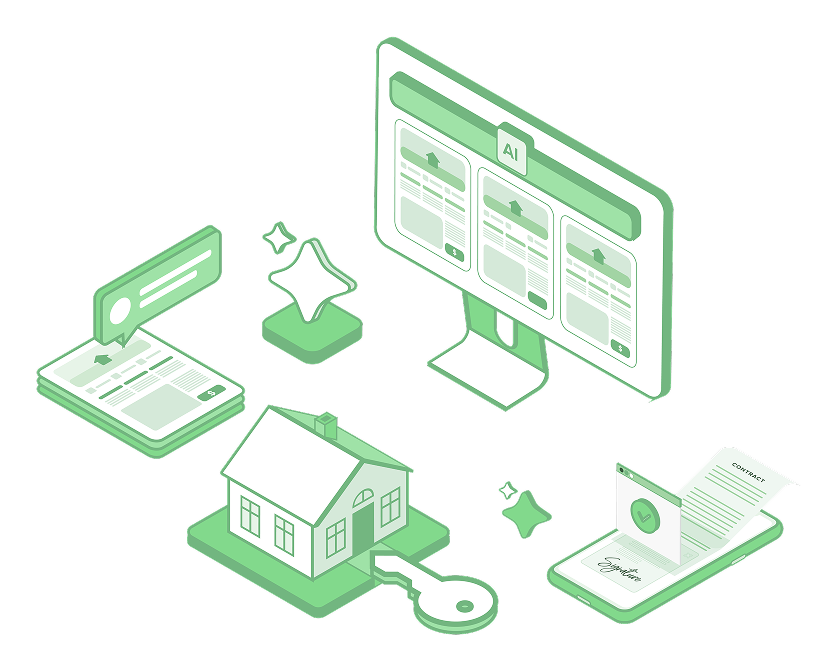
AI can take on the repetitive parts of leasing, while your team keeps every judgment call.
| Leasing Stage | How AI Assists | What You Decide |
|---|---|---|
| Listing and Lead Capture | Drafts listing descriptions and centralizes every inquiry in one place | Which listings to approve, edit, and publish |
| Prequalification and Showings | Summarizes incoming messages, drafts replies, and helps coordinate showings | How to evaluate prospects and which showings to hold |
| Application Management | Summarizes application threads and tracks outstanding documents | All screening and approval or denial decisions |
| Lease Generation and eSignature | Checks that lease details are entered accurately and guides template and eSignature steps | Lease terms and the legal review |
| Move-In Onboarding | Triggers onboarding tasks, reminders, and resident messages | Which key actions to review and approve |
| Renewal Targeting and Outreach | Flags upcoming expirations, drafts outreach, and summarizes rental history | Renewal pricing, offers, and approvals |
The leasing process begins long before a prospect submits an application. Clear, accurate listings and fast lead capture set the foundation for every step that follows. When listing information is inconsistent or inquiries are scattered across multiple platforms, response times slow and leasing teams lose visibility into prospect activity.
An effective AI-supported listing and lead capture workflow helps property managers standardize how listings are created and enter every inquiry in a single system. This creates a reliable starting point for all your leasing tasks.
Tech Tip:
Buildium's AI Listing Descriptions tool generates rental listing descriptions based on the unit details you provide. Leasing managers review and edit these AI-generated drafts before publishing to check for accuracy, tone, and compliance. Once approved, listings can be distributed using Buildium's rental listing syndication feature, which helps property managers publish to multiple listing sites without duplicating work. When a lease is executed, Buildium can delist the unit so outdated availability doesn't remain live.
Enjoying the preview? Unlock the full playbook to gain even more helpful insights.
Once a listing generates interest, leasing teams often field many emails, texts, and phone calls from prospective renters. Questions about availability, pricing, qualifications, and showing times can pile up quickly.
At this stage, consistency and documentation matter just as much as speed, because prospects who get uneven information or slow replies may lose trust or raise fairness concerns. Property managers need to respond promptly while giving every prospect the same information and fair treatment.
A word of caution:
Property managers should never use AI to screen, accept, reject, or prioritize prospects. All prequalification practices must comply with the Fair Housing Act and applicable local regulations. Always consult a qualified legal professional when defining leasing policies and communication standards.
Tech Tip:
Buildium's AI helps leasing teams summarize incoming messages and draft responses to common questions and showing requests and follow-ups. Staff review and approve these drafts before sending them, maintaining accuracy, consistency, and compliance.
At this stage, property managers track application status, collect required information, and keep both internal teams and applicants informed, often across multiple communication channels.
This is also one of the most sensitive stages of the leasing process. AI can help teams stay organized and informed, but it should never evaluate applicants, influence screening outcomes, or make approval or denial decisions.
Remember
Tenant screening and application decisions must comply with the Fair Housing Act and all applicable federal, state, and local regulations. Property managers should always consult a qualified legal professional when defining screening criteria and workflows.
Tech Tip:
Buildium's AI Business Operations Agent can help leasing teams summarize email and text message threads related to applications. These summaries help staff quickly see what information has been requested, what documents are still outstanding, and which follow-ups are pending.
Once an applicant is approved, the leasing workflow moves into document preparation and execution. This stage often involves several steps, such as selecting the correct lease template, customizing terms based on the property or jurisdiction, and coordinating signatures.
AI can support your team by scanning documents to confirm that lease details are entered accurately. The goal is to support your lease decision-making and legal review process, not replace it, helping you complete tasks accurately and consistently.
Tech Tip:
Buildium's AI Assistant chatbot can walk team members through how to use Buildium's built-in tools to generate a lease, locate and save lease templates, and customize documents as needed. The chatbot can also guide users through the steps to prepare and send a lease for eSignature using Buildium's leasing features.
After a lease is signed, the leasing workflow shifts into onboarding and internal coordination. This stage often involves multiple teams and time-sensitive tasks, such as sending move-in instructions, updating system records, and confirming that units are no longer advertised.
AI can support this workflow by helping trigger and coordinate tasks once a lease reaches specific milestones. Property managers can use automation and AI-assisted tools to keep onboarding steps consistent and on schedule, while still reviewing and approving key actions.
Tech Tip:
Buildium's Workflow Automations can trigger move-in tasks, internal reminders, and resident communications based on lease start dates or status changes. For Premium users, Lumina AI Workforce can help with operational updates such as changing applicant status and confirming units are delisted once a lease is finalized.
Leasing workflows don't end at move-in. Proactive renewal planning plays a major role in reducing turnover, stabilizing occupancy, and maintaining predictable revenue.
AI can support renewal workflows by helping property managers prepare for conversations and communicate on time. It assists by organizing information and supporting consistent outreach, while property managers keep full control over pricing, offers, and approvals.
Tech Tip:
Buildium's AI Resident Experience Agent helps property managers send timely renewal-related messages based on lease expiration dates, supporting consistent outreach without manual tracking. The platform's AI tools can also assist by summarizing rental history and move-out statements, giving staff quick context before renewal discussions.
Before you fold AI into your leasing workflow, run through this checklist. It keeps your process efficient and keeps people in control of the decisions about screening, pricing, and lease terms.
Using Buildium's property management software is one of the most straightforward and effective ways to introduce AI to your leasing efforts and to operations across your business. That's because the platform brings together advanced AI, automation, and customization tools, weaving them into a full suite of property management features.
You can even tap into a variety of other AI solutions through an extensive marketplace of partner integrations or connect the platform to other tools you're already using with the platform's open API.
If you'd like to see how Buildium can help you simplify your lead-to-lease workflow, you can give the platform a try with a 14-day free trial, no credit card required, or sign up for a demo with a product specialist.