How many mobile apps do you use on any given day?
While there’s an app for just about everything—including the various aspects of property management—it’s easy to get bogged down in too many mobile apps and too many workflows. Of course, you want to run your property management operations as efficiently and effectively as you can—with apps that can save you time and money.
To help you do that, we’ve picked eight of the best options out there for property managers in 2026. In this post (and video below), we’ll look at potential ways in which the right mobile property management app can change how you run your business, so you’ll know what key features to look out for. Then, we’ll jump into the top apps to choose from.
What Is a Property Management App?
A property management app is software that brings the core tasks of running rental properties into one system. It handles accounting, rent collection, maintenance tracking, leasing, and resident communications so you do not need to manage each of those functions separately.
For property managers running portfolios of a few dozen to several hundred doors, a property management app helps centralize daily work that otherwise gets scattered across spreadsheets, inboxes, and separate systems.
Key Features to Look for in a Property Management App
Before you start comparing platforms, it helps to know which capabilities will have the biggest impact on your day-to-day operations. The five categories below cover the core functions that separate a true property management app from a basic tool, and they are the lens this article uses to evaluate each platform.
Accounting and Financial Management
Solid accounting is the backbone of your operation. Look for a platform that includes built-in general ledger accounting, automatic bank reconciliation, owner statements you can generate in a few clicks, and tax-ready reporting with 1099 e-filing. When your accounting lives inside your property management app, you eliminate the double-entry work that comes with syncing a separate tool, and your numbers stay accurate in real time.
Rent Collection and Payment Processing
Online rent collection saves you from chasing checks and making bank runs. The features that matter here are ACH and credit card acceptance, autopay enrollment, automatic payment tracking, and configurable fund routing so each payment lands in the correct account. Just as important: look at how the platform handles returned payments and sends reminders, because those workflows determine how quickly you recover missed rent.
Maintenance and Work Order Management
Property managers spend more time on maintenance than almost any other task. A strong maintenance module lets residents submit requests online, routes work orders to the right vendor or staff member, tracks status from open to closed, and gives you mobile access so you can manage urgent issues from anywhere. The less manual coordination you do, the faster repairs get done and the happier your residents stay.
Leasing and Tenant Screening
Every day a unit sits vacant costs you money. A property management app with built-in leasing tools and tenant screening helps you move from listing to signed lease faster. Look for online applications, applicant screening, customizable lease templates, e-signatures, and listing syndication to major rental sites. The goal is to reduce the time between “vacancy” and “move-in” without cutting corners on applicant quality.
Advanced Automation and AI Capabilities
Automation takes repetitive tasks off your plate, and AI takes it a step further by handling work that used to require your direct attention. Look for platforms that offer automated workflows for common processes, AI-assisted communications (such as drafting emails or responding to resident inquiries), smart task routing, and data-driven insights. Tools with AI capabilities can save you hours each week, especially as your portfolio grows and the volume of routine tasks increases.
8 of the Best Property Management Apps to Compare
The right app depends on how many doors you manage, how your team works, and which tasks take the most time. The options below cover a range of needs, from free tools for smaller portfolios to full platforms built for growing property management companies.
1. Buildium
A Top All-In-One Property Management App
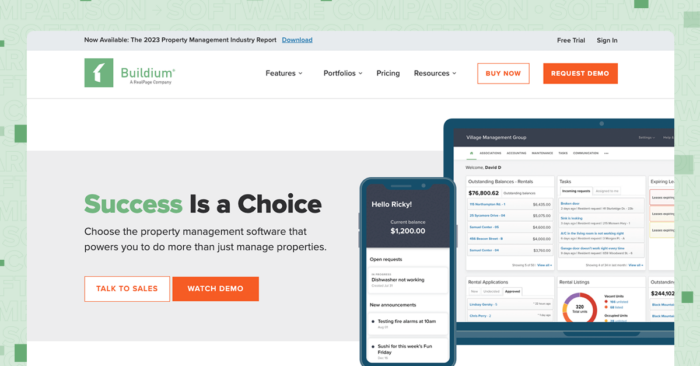
Buildium® is one of the industry’s leading property management apps, serving property management companies of all sizes.
Buildium offers two apps: the main Buildium app for property managers and landlords enables you and your team to manage a number of tasks via mobile, including accepting rent payments online, and streamlining maintenance requests, while the Resident Center app serves as a simple-to-use tool for residents to make payments, reach out to your team, and submit maintenance requests.
Buildium Mobile App Key Features
The Buildium mobile app is designed as a comprehensive property management tool that helps property managers and landlords:
- Receive resident payments (sent through the Resident Center mobile app or desktop platform)
- Receive, assign, and track work orders and other management tasks
- View information on each property, tenant, owner, and vendor in your system
- Share key property details with owners
- Easily call, text, or email contacts from your phone
- Locate and get directions to properties using maps
- Use your phone’s camera to quickly take and add photos to your property records and message threads
- Download the Buildium mobile app on both the App Store and Google Play
Resident Center Mobile App Key Features
The Resident Center mobile app gives your tenants an easy-to-navigate, professional interface that’s fully integrated with the rest of Buildium’s software. With Resident Center, tenants can:
- Set up recurring payments using a bank account or credit card through the autopay feature
- Submit maintenance requests directly from the app with the option to add photos to help speed up work order fulfillment
- Quickly scan single and multi-page documents, such as signed paperwork or ID verification, to quickly share through the app
- View announcements and messages from your team to stay in the loop on property, lease, and community updates
- Download the mobile app on both the App Store and Google Play
It’s worth noting that both of Buildium’s apps have high ratings in both the App Store (4.7 stars) and the Google Play Store (4.5 stars). Meanwhile, the Resident Center Mobile App has picked up 4.8 stars in the App Store and 4.5 stars in the Google Play Store. This is out of thousands of reviews.
Pricing
Both mobile apps are free to download on your device of choice. You’ll need a subscription to Buildium offered through three pricing tiers to access the features above along with web access that covers all your property management bases, including:
- Accounting
- Maintenance
- Task Management
- Violations
- Online Portals
- Lead-To-Lease Management
- Resident & Board Member Communications
- Property Inspections (through an integration with HappyCo®)
The pricing tiers scale with your business, depending on the size of your needs:
- Essential: Starts at $62/month and includes Buildium’s core features, including accounting and task management tools.
- Growth: Starts at $192/month and includes reduced incoming ACH fees, unlimited eSignatures, and actionable insights in Analytics Hub.
- Premium: Starts at $400/month for property managers who want to automate their workflows. It includes everything in Growth, unlimited incoming ACH (fees waived), plus access to Buildium’s Open API and Priority Support.
2. LeadSimple
A Property Management App for Strengthening Customer Relationships
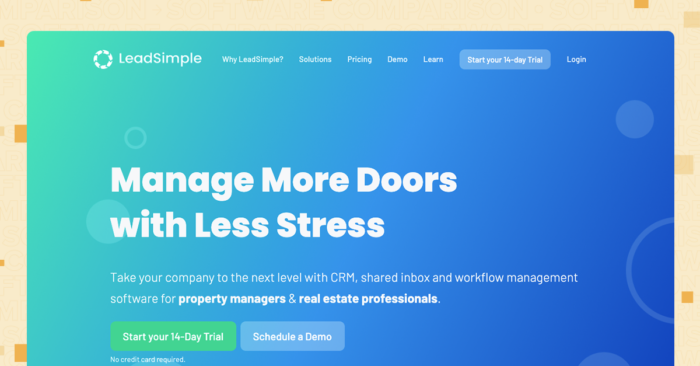
LeadSimple® offers a mobile app for customer relationship management (CRM) that also lets you onboard operations, sales, and workflows all in one place. It’s purpose-built for property management, allowing them to offer tailored solutions that cater to the actual needs of property managers.
The property management app speeds up your daily processes through built-in automation and acts as a digital record and single source of truth for your sales efforts, outreach to owners, and existing customer profiles. This makes for an easier, faster onboarding experience for new clients.
LeadSimple also integrates with Buildium, so you can sync data automatically between the two platforms while having a unified and simple-to-use software experience for all your property management operations.
Features
LeadSimple’s mobile app puts all your property management leads, sales processes, and workflows in one place that you can access from anywhere. With the app installed, you’ll be able to:
- Access and manage lead information on the fly from your lead dashboard
- Create new leads and search for existing ones on the go
- Created tracked communication, including texts, calls, and emails
- Record detailed notes for each meetings and calls
- Create, view, and complete tasks for you and your team
- Enable automatic syncing between your phone and desktop app.
Pricing
LeadSimple’s three pricing options are Phone+Inbox, CRM and Operations.
Phone+Inbox ($249/month for the first user plus $99/additional user) is intended to consolidate your inbox and communications:
- Unified inbox for all emails, calls, and texts
- Auto-assignment rules for team emails
- Unlimited call minutes
- Unlimited texts
CRM ($99/month) is intended for streamlining sales processes and includes:
- Two users ($30 per additional)
- One lead pipeline ($30 per additional)
- Every additional phone number is $4 per month
- 5 cents per minute for phone calls after the first 250 minutes
- 2.5 cents per text sent
Operations ($1.35 per door/month, $200 minimum) includes everything in the Growth plan plus:
- Unlimited users
- Unlimited sales pipelines
- Unlimited process types
- $4 per month per texting phone number
- 5 cents per call minute after the first 500 minutes
- 2.5 cents per text
All plans include a long list of features you can compare side by side here.
3. HappyCo
An App that Puts Inspection Details at Your Fingertips
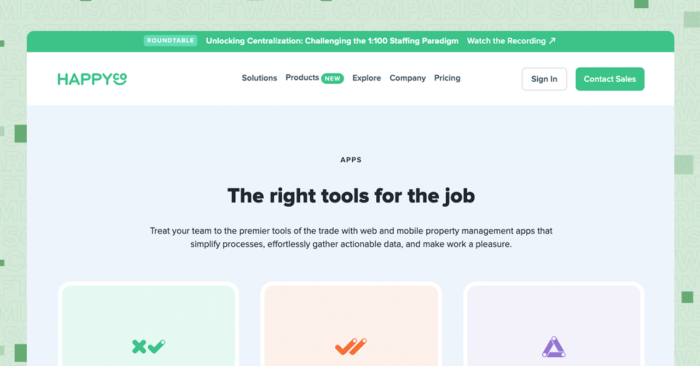
HappyCo® is a checklist app designed to help multifamily property owners, managers, and teams identify problems, document property conditions, and manage work orders.
HappyCo also integrates with Buildium if you’re looking for both the specialized inspection capabilities below and the benefits of a comprehensive property management app.
Features
HappyCo’s inspection checklist forms are fully customizable, allowing you to adjust sections, items, ratings, and more depending on your property type and unit layouts. They also provide several templates so you don’t have to build one completely from scratch.
There are also reporting features that include a history of all your walkthroughs, including key data points like scoring, photos, comments, and more. The app also automatically saves drafts and syncs data across all users, even if your internet cuts out.
Pricing
HappyCo’s subscriptions are priced per unit, per month and require a minimum of 500 units.
4. ShowingHero
A Good Property Management App for Showings
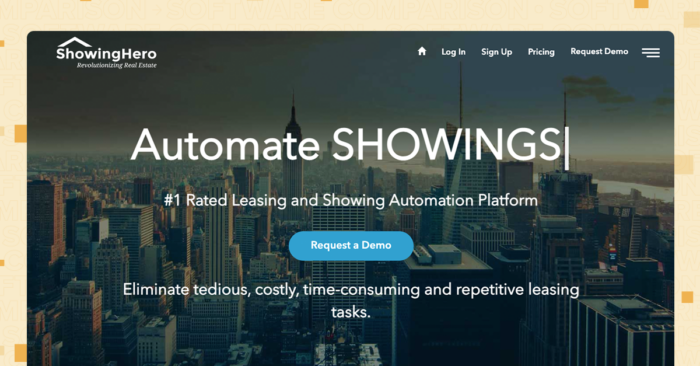
Scheduling showings, getting prospective applicants to show up, and moving them along the process can get very tedious. ShowingHero® is a top-rated leasing and showing automation app that helps eliminate those tedious and time-consuming leasing tasks.
The property management app focuses specifically on showings, but it can be a powerful addition to your all-in-one property management software. Buildium and ShowingHero are integrated to automate leasing coordination, which has been proven to find renters 3x faster while being up to 70% more profitable.
Features
ShowingHero prescreens prospects prior to viewings. It also allows you to send a mini calendar that allows prospects to book a time that works around your schedule.
ShowingHero works with electronic SMART lock boxes operated with one-time access codes for tenants to view the listing on their own. The app gives you all the data, insights, and reporting you need to see your click-through rates, showing rates, and agent activity.
Pricing
ShowingHero’s pricing starts at $20 per listing per month with a minimum of 25 listings. You can also opt for per unit pricing at $1.50 per unit with a minimum of 300 units. Both options include unlimited users, leads, and showings, without any obligation to sign annual contracts or cancellation fees.
5. ShowMojo
A Property Management App for Lead-to-Lease Automation

For a solution that takes a slightly broader approach to the lead-to-lease pipeline, property managers can turn to ShowMojo®. ShowMojo’s app automates important parts of both finding the right tenants and working with them throughout the course of applying for a rental and signing the lease.
The company focuses on both helping property managers grow their business by making leasing processes more efficient and gathering performance metrics along the way. You can use these insights to further refine your approach to leasing.
ShowMojo integrates with Buildium and its mobile app is available on both the Apple App Store and Google Play.
Features
ShowMojo has a handful of useful features, all focused on leasing. These include:
- Advertising across 50 listing sites
- Support for showings that lets you set up parameters to screen tenants
- Automated communication with prospects
- Secure guided tours with its MojoLock and MojoBox products
- Listing activity reports to help you measure each listing’s effectiveness
- Customizable lease applications
Pricing
ShowMojo has separate pricing calculators for small portfolios and those with more than 40 doors. You can choose pricing based on door count or listings. If you’re paying by unit, there’s two types of plans:
- A Pro plan that includes several tools for marketing, listing, scheduling, self-guided tour, rental application, and reporting tools
- An Ultra plan that adds on Individual listing tracking numbers, Phone-based self-showing assist for prospects, fraudulent listing protection, text messaging templates, and additional services for following up with inquiries
The Ultra plan averages out at about two to three times the cost of the pro plan when paid annually. For example, a Pro plan that covers 50 units would cost $14.04 per unit compared to $29.16 per unit for an Ultra plan.
If you pay by listings there are also two separate plans, the Pro plan and the Live Answer plan with features that largely mirror the Pro and Ultra plans outlined above. A Pro plan that covers 5 active listings would cost $286 per month compared to $594 for an Active Listing plan.
You can also add on access devices such as MojoLock Smartlocks, CodeBoxes, and MojoBox Digital Lockboxes to any plan for an additional charge.
6. PropUp
A Property Management App to Manage and Quickly Fill Your Vacancies
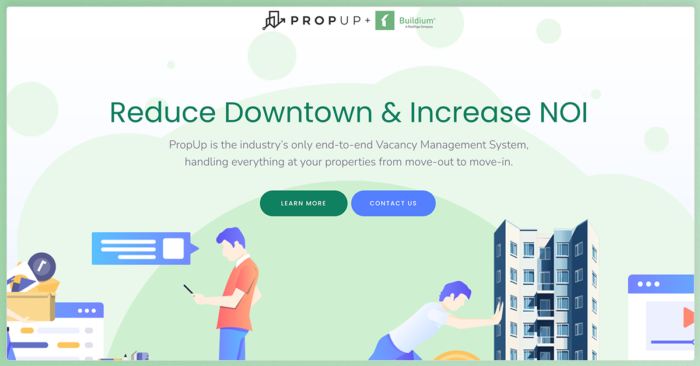
Propup® is a comprehensive vacancy management app that helps you to better visualize your vacancies and get metrics on each of your units. It’s designed to reduce the time from move-out to move-in and make coordinating with your team easier by giving you more transparency through an easy-to-navigate interface. The app is also designed to work in tandem with other property management software such as Buildium to make the whole management process more efficient.
You can find the app on both the Apple App Store and Google Play.
Features
PropUp’s features focus on all the main tasks related to filling vacancies:
- Automated turnover management workflows
- Personnel management and time tracking tools
- Comprehensive mobile inspections
- A customizable digital whiteboard
- Repair and maintenance coordination tools
- API integration with other software
Pricing
Propup’s software has a simple pricing structure at $1/unit that includes all the features listed above. The company also includes an ROI calculator on their site to help with your purchasing decision.
7. Nutiliti
A Property Management App for All Your Utility Needs

Nutiliti® is laser-focused on making utility activation less stressful and more straightforward, which is critical given that setting up utilities is the top move-in challenge reported by the three-fourths of renters who experience issues. It’s a straightforward app you can use for activating utilities and setting up billing for each new tenant. It even can help automate the bill-back process of collecting, validating, and paying utility invoices.
The app is available on both the Apple App Store and Google Play and, like the other platforms on this list, integrates easily with Buildium.
Features
Nutiliti’s software comes equipped with:
- Automated utility activation that reduces the need for manual paperwork and interactions with utility providers
- Tools to allocate and track utility expenses for each tenant, complete with reports and invoices that adds transparency
- The ability to monitor utility usage across rental properties using, set usage thresholds, and get notifications to help spot anomalies
- A dashboard to manage utility accounts for multiple properties you can access to update account information, make transfers, and terminate services upon move out
Pricing
Because information is limited on their site, you’ll have to contact Nutiliti directly or sign up for a demo to get pricing details.
8. ButterflyMX
A Property Management App that Simplifies Security

ButterflyMX® is another specialized app that works well when integrated with other property management tools. It’s a complete property access solution that’s particularly well-suited for multifamily properties, associations, and student housing. The software gives staff the ability to open and manage doors and gates securely from their mobile devices.
If you have property management software like Buildium, you can integrate it with ButterflyMX to automatically update your database of residents and users whenever move-ins, move-outs, or other changes happen.
You can download the ButterflyMX app on the Apple App Store and Google Play.
Features
ButterflyMX’s combination of entry system hardware and software features include:
- Swipe to open capabilities
- Video calling and voice control settings
- Visitor passes
- Elevator controls
- Door release logs
- An amenity reservation system
- Property management software integrations
These capabilities are easily accessible using the platform’s mobile app that’s geared toward both managers and residents.
Pricing
ButterflyMX’s software costs managers between $32 and $42 per apartment per year, depending on the specific features and integrations that you opt for. You’ll need to reach out to their sales team for a definitive quote.
This annual fee is on top of the cost of any hardware you choose to purchase. The company offers surfaced and recessed options for both their 8 inch and 12 inch video intercoms.
How to Choose the Right Property Management App
Choosing the right property management app starts with understanding what your business needs most. Some teams need better accounting. Others need faster leasing, easier maintenance tracking, stronger owner reporting, or more automation. The steps below can help you compare options based on how your portfolio actually runs.
Step 1: Assess Your Portfolio Size and Complexity
If you manage a small number of units and handle everything yourself, a free tool with basic rent collection and leasing may be enough to get organized. But if you manage dozens or hundreds of doors across multiple owners, you need a platform that handles accounting, maintenance, communications, and reporting without forcing you to duct-tape tools together.
Step 2: Evaluate Your Team Size and Access Needs
Solo operators can get by with lighter platforms, but once you have staff or work with vendors and owners who need access to their own data, you need portals and permission controls that keep everyone in the loop without creating extra work for you.
Step 3: Calculate the True Cost of Your Software Decision
Budget matters, but so does the cost of not having the right tool. A free app that cannot handle accounting means you are still paying for a separate bookkeeping tool or spending your own time reconciling spreadsheets. Property management apps with built-in accounting, automated workflows, and AI-powered task handling, such as Buildium, can save you more in time and overhead than their monthly cost.
Step 4: Consider Your Growth Trajectory
A platform that works for 20 units but breaks down at 200 will force a painful migration later. If your portfolio is growing, pick a property management app that scales with you from day one.
The Right Property Management App Makes All the Difference
The property management apps in this article range from free, single-purpose tools to full platforms that handle every part of your operation. Each one has a place depending on where you are in your business, but the common thread is clear: the right app gives you back time and keeps your finances accurate, so you can focus on owners, residents, and growth instead of chasing routine tasks across separate systems.
Key Takeaways:
- The best property management app depends on your portfolio size, team structure, budget, and growth plans.
- Free tools can work well for small portfolios, but they may fall short when you need deeper accounting, owner reporting, permissions, or automation.
- Built-in accounting, rent collection, maintenance tracking, leasing, and communication tools reduce the need for disconnected systems.
- AI and automation can help growing teams handle repetitive tasks, route work faster, and keep operations moving.
For property managers who want a single platform that covers accounting, leasing, maintenance, resident communications, and AI-powered automation, Buildium brings it all together in one place. You can start with a 14-day free trial to see how it fits your workflow, or book a guided demo to walk through the features with a product specialist.
Frequently Asked Questions
What Is a Property Management App?
A property management app is software that helps property managers and owners handle the day-to-day operations of running rental properties. It typically covers accounting, rent collection, maintenance tracking, leasing, and resident communications in one system.
How Much Does Property Management Software Cost?
Pricing ranges widely. Some platforms, such as Innago and TurboTenant, offer free tiers with basic features. Mid-range options start around $12 to $62 per month, while full-featured platforms with advanced automation and AI run from $192 to $400 or more per month, depending on the plan and portfolio size.
Is There Free Property Management Software?
Yes. Innago offers its core features at no cost. TurboTenant has a free plan with no limit on properties. Landlord Studio’s GO plan is free for up to three units. Keep in mind that free plans typically have limitations in areas such as accounting depth, reporting, and support.
What Features Should I Look for in a Property Management App?
Focus on the five core categories covered earlier in this article: accounting and financial management, rent collection and payment processing, maintenance and work order management, leasing and tenant screening, and advanced automation and AI capabilities. Prioritize the areas where you spend the most time or lose the most money to manual processes.
Can Property Management Software Handle Accounting?
Yes, many property management apps include built-in accounting. Buildium offers purpose-built property management accounting with bank reconciliation, owner statements, and 1099 e-filing. Landlord Studio takes an accounting-first approach with bank feeds, receipt scanning, and detailed financial reports. Some platforms, such as TurboTenant, treat accounting as a separate add-on rather than a core feature.
.
Buildium’s Commitment to Safe and Secure AI
At Buildium, we believe that AI should be a trusted extension of our platform–not a replacement for human judgement. Our approach to AI is grounded in transparency, education, and rigorous security standards. We deploy AI features with a clear focus: to automate routine tasks while preserving the integrity of sensitive decisions that require human oversight. Lumina AI is built for property managers who value efficiency, security, and trust. We’re not just innovating–we’re doing so responsibly.