



The time between a prospect’s first inquiry and a signed lease is often filled with manual work. Answering the same questions, scheduling tours, and following up takes time away from managing your properties and growing your business. This is where virtual leasing platforms can make a real difference, helping you automate many of these steps so you can handle more leads without adding more staff.
In this post, we will look at eight specific virtual leasing tools that cover the entire rental process, from initial inquiry to e-signature. We will show you how they work and how to connect them into a simple, effective workflow. You will walk away knowing how to pick the right tools to fill your vacancies faster and give you back more of your day.
What we’ll cover:
- How to connect different tools to automate the entire leasing process
- Which tools to use for each stage of the funnel, from lead capture to e-signature
- A simple strategy for building your virtual leasing stack, starting with your biggest bottleneck
What Are Virtual Leasing Tools?
Virtual leasing tools are any software that lets prospective tenants move through your leasing funnel without requiring in-person interaction at every step. You might already use some of these without realizing it. Things such as online applications, digital signatures, or automated email responses all fall into this category. The real benefit appears when you connect multiple tools to handle everything from the first inquiry to a signed lease.
There are a few main categories you’ll run into:
- Video and 360 tours: These are pre-recorded or live walkthroughs prospects can view remotely. Instead of scheduling individual showings for every interested renter, you capture the property once and can share it an unlimited number of times.
- Conversational AI and lead response: Automated replies can answer questions and capture contact information around the clock. When prospects message at 10 PM asking about pet policies or parking, they get instant answers instead of waiting until the morning.
- Scheduling and pre-qualification: Some tools can book showings and filter out unqualified leads before you spend time on them. Prospects pick their own time slots and answer screening questions upfront, so you only meet with serious candidates.
- Self-guided access: Smart locks or lockboxes let verified prospects tour on their own. After identity verification, prospects receive a temporary code to view the unit during preset hours.
- Online applications and screening: Digital forms and background checks can replace paper and phone tag. Applications can flow directly into tenant screening, which can speed up the approval process.
- E-signature: Legally binding lease signing can happen from any device. This means no more printing, scanning, or chasing down signatures; everything happens digitally with automatic reminders for unsigned documents.
These virtual leasing tools deliver the most value when they connect to your property management system so data flows automatically and nothing falls through the cracks. A prospect who schedules a tour through one tool should appear in your PMS without manual entry. An approved application should trigger the lease for signature without you copying information between systems.
Eight Virtual Leasing Tools That Stand Out
With a clear idea of the categories, we can look at specific tools that handle different parts of your leasing workflow. These eight options cover the full lead-to-lease journey, and each one solves a particular bottleneck for small teams managing up to a few hundred doors. We’ll present them in the order a prospect typically moves through your funnel, from first interest to move-in.
Buildium for Applications, Screening, E-Sign, and Resident Portals
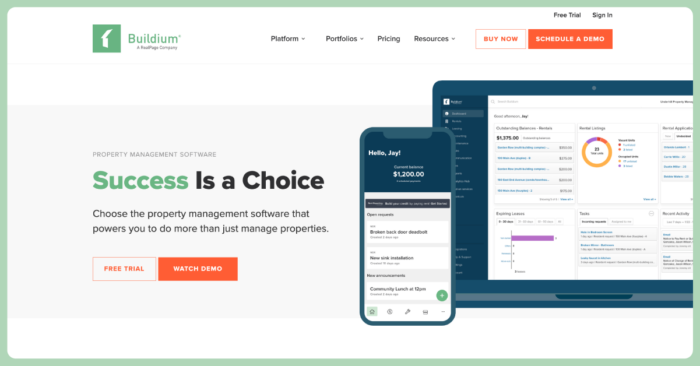
Buildium handles the back half of the funnel where many smaller operators lose time. Its has online rental application capabilities that let prospects apply directly from your listing and start screening in one step. This avoids back-and-forth emails asking for missing information or chasing down payment.
The tenant screening feature returns results fast so you can make consistent decisions. Credit reports, rental history, and income verification come back in a standardized format, helping you compare applicants fairly. From there, other online leasing tools collect signatures from any device with templates, autofill fields, and automatic reminders. You can set up your lease template once, then reuse it with merge fields that pull in tenant and property details.
Once a lease is signed, the Resident Center gives new tenants self-service access to payments, maintenance requests, and documents, which can cut down on calls and emails after move-in. Buildium’s open API and Marketplace integrations also let you connect other virtual leasing tools from this list, so data stays in sync. For example, when a showing is booked via an integrated partner like Tenant Turner, lead and listing data syncs with Buildium, and applicants receive a link to apply—reducing manual re-entry.
Haven.ai for 24/7 AI Responses and Lead Routing
Haven.ai® responds 24/7 via phone, SMS, and email and integrates with existing tools to hand off qualified leads to your team. Small teams who can’t monitor inquiries around the clock can benefit from this coverage. The conversational AI handles common questions about rent, availability, pet policies, and amenities while capturing contact information for follow-up.
When prospects ask complex questions or want to schedule a tour, Haven.ai captures prospect details and schedules tours, then passes the information to the systems you already use. Your team can start their day with organized, pre-qualified leads instead of a jumbled inbox. The AI can also learn from your responses over time, improving its ability to answer property-specific questions accurately.
Rently for Secure Self-Guided Tours and ID Verification

Rently’s® lockbox and smart-lock system lets verified prospects tour vacant units on their own schedule with self-guided tours. Prospects upload their ID through an app, which verifies their identity before generating a one-time access code. Access codes are time-limited and expire after the scheduled self-guided tour.
You can receive notifications when prospects arrive and leave, plus a full audit trail of who toured and when. Properties stay secure while prospects get the flexibility to tour outside business hours or on weekends when your leasing team might not be available.
Tenant Turner for Scheduling, Pre-Qualification, and Reminders

Tenant Turner® automates showing appointments from start to finish. Prospects book online after answering pre-qualification questions about income, move-in date, and rental history. Only qualified prospects can schedule, saving you from spending time on appointments that go nowhere. The system syncs with your calendar, blocking out times when you’re unavailable and grouping multiple showings together when possible.
Prospects receive automated reminders before their scheduled showings, which can help reduce no-shows. If they need to reschedule, they can do it themselves through the link in their reminder. For example, Buildium offers Showings Coordinator as an add-on, which is supported by Tenant Turner’s tech and keeps scheduling data inside your property management system.
RentEngine for Listing Syndication and Pricing Discipline
RentEngine® syndicates listings to major sites and offers a market pricing tool to help evaluate competitive rent levels. Instead of manually posting to Zillow, Apartments.com, and others, you create the listing once and RentEngine distributes it. Updates sync across sites when you change prices or availability.
The pricing tool analyzes comparable properties in your area, factoring in amenities, square footage, and recent rental trends. You see what similar units rent for and how long they stay on the market at different price points. This data helps you price competitively from day one instead of starting high and dropping the price after weeks of vacancy.
ShowingHero for Calendar Sync and Automated Nurture
ShowingHero® syncs with Google Calendar to block unavailable times and reduce double-booking. When multiple team members handle showings, ShowingHero can prevent conflicts by checking everyone’s availability. Prospects see a unified calendar instead of going back and forth to find a time that works.
The nurture sequences can run based on prospect behavior. Someone who viewed the listing but didn’t schedule might get a different message than someone who toured but didn’t apply. These targeted follow-ups can happen via email or text over several days, keeping your property top of mind.
ShowMojo for End-to-End Lead-to-Tour Flow
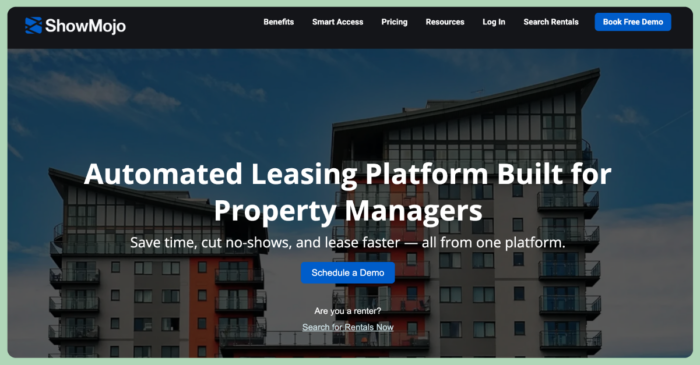
ShowMojo® combines lead capture, automated responses, scheduling, and follow-up in a single dashboard. When prospects inquire through different channels (think your website, Craigslist, or Zillow), ShowMojo can respond immediately with available showing times. The system can handle the entire conversation, answering questions and guiding prospects to book a tour.
For teams who want fewer logins and integrations, ShowMojo’s all-in-one approach can simplify the tech stack. Everything from the initial inquiry to post-tour follow-up happens in one place. You can set up different workflows for different properties or prospect types, customizing the experience based on your leasing strategy.
Swiftlane for Smart Access Control and Temporary Credentials
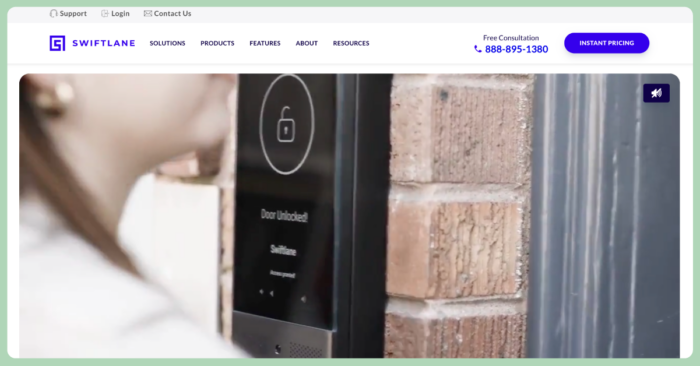
Swiftlane’s® video intercom and mobile credential system grants time-limited access for showings or vendor visits. Unlike traditional lockboxes that work well for single-family homes, Swiftlane can handle multifamily buildings where you need to control access to common areas and individual units. Prospects can download an app, verify their identity, and receive digital credentials that expire after their scheduled tour.
The video intercom lets prospects call you directly from the building entrance if they have questions or problems. You can see and speak with them through your phone, then remotely unlock doors if needed. Every entry gets logged with video footage, creating a complete record of building access for security purposes.
How Leasing Tools Fit Together from Listing to E-Sign
With eight different virtual leasing tools available, you might wonder how to make them work together without creating a mess of duplicate data entry and missed handoffs. The key is mapping out your leasing workflow and understanding where each tool plugs in. Let’s walk through the three main stages and see how data can flow from one step to the next.
Pro Tip: The various types of tools we discussed above are all accessible through Buildium’s marketplace of parter solutions and come ready-to-integrate with Buildium’s own features.
Step 1: Lead Capture, AI Response, and CRM Handoff
Your listing goes live through syndication tools. For example, Buildium’s rental listing syndication pushes to Zillow, Apartments.com, Zumper, and others with one click. A prospect browsing late at night finds your property and sends an inquiry. Instead of that message sitting in your inbox until morning, conversational AI from a tool such as Haven.ai responds instantly with answers about availability and next steps.
The AI captures the prospect’s name, email, and phone number, then creates a lead record in your CRM or property management system. When your leasing team starts their day, they see organized, pre-qualified leads with conversation history attached. This avoids manual data entry and delayed responses that might cause prospects to lose interest.
Step 2: Scheduling, Pre-Qualification, and Secure Access
The qualified lead receives a link to schedule their showing through a tool such as Tenant Turner, ShowingHero, or ShowMojo. They pick a time and answer pre-qualification questions about income and move-in timeline. Based on their answers, they either proceed to booking or receive a polite message that the property might not be the right fit.
For confirmed showings, you have two options. Your team can meet them for a guided tour, with automatic reminders helping to reduce no-shows. Or, prospects can use self-guided access through a service such as Rently or Swiftlane, touring on their own schedule with temporary access codes. Either way, the showing gets logged in your system with notes about the prospect’s interest level.
Step 3: Online Application, Screening, and E-Signature
After the tour, interested prospects receive a link to apply online. This is where a comprehensive property management system can connect all the final steps. For example, handling online rental applications in Buildium lets applicants complete everything in one session, including paying any fees and authorizing background checks. The tenant screening feature runs automatically, returning results to your dashboard.
Once you approve an applicant, an online leasing feature such as Buildium’s, which is powered by Dropbox Sign, can send the lease for digital signature. Templates with merge fields mean you don’t have to retype tenant names or lease terms. After lease execution, managers can add new residents to Buildium’s Resident Center for rent payments and maintenance requests.
Build a Simple Stack and See Results Faster
Virtual leasing tools can remove manual steps between inquiry and signed lease, letting you fill vacancies faster without adding headcount. You don’t need every tool mentioned here. It’s often better to start with the bottlenecks that slow you down most, then expand as you see results.
Here are a few principles to keep in mind when building your virtual leasing stack:
- Match tools to your funnel stages. Conversational AI and syndication handle lead capture at the top of the funnel. Scheduling and access tools manage showings in the middle. Applications, screening, and e-signature close the deal at the bottom.
- Connect everything to your PMS. Data that flows automatically means fewer errors and less duplicate entry. An open API and a partner integrations can make this possible without custom development. When tools talk to each other, you spend less time on data entry.
- Start with one bottleneck. Pick the step that costs you the most time. Maybe it’s answering the same questions repeatedly, or maybe it’s scheduling showings that turn into no-shows. Implement a single tool for that problem, measure the results, and then expand.
- Track key metrics from day one. Lead response time, tour show rate, application conversion rate, and days vacant can tell you whether your stack is paying off. Set baselines before implementing new tools so you can measure improvement accurately.
To see how these pieces come together, you can explore how a property management system such as Buildium supports a simplified leasing workflow. With a 14-day free trial, you can test the platform with sample data, or you can schedule a guided demo for a walkthrough tailored to your portfolio.
Frequently Asked Questions About Virtual Leasing Tools
Do I Need a PMS and Separate Virtual Leasing Tools, or Can One Platform Cover It?
Some property management systems include native leasing features, while others rely on integrations with specialized tools. The right choice depends on whether you prefer an all-in-one system with everything under one login or best-in-class tools for each function that connect through an open API.
How Do I Enable Secure Self-Guided Tours Without On-Site Staff?
ID verification, time-limited access codes, and smart lock or lockbox hardware restrict entry to approved prospects during set windows. Video monitoring and audit trails can track who enters and when, offering a layer of security. Keep in mind that Since laws can vary by state and locality, it’s a good idea to consult with a qualified legal professional if you’re in doubt.
Which KPIs Show Whether My Virtual Leasing Tools Are Paying Off?
Lead response time, tour show rate, application conversion rate, and days vacant are the primary indicators of a leasing stack’s performance. You can compare these metrics before and after implementing each tool to measure its impact.
Are There Fair Housing or Accessibility Considerations with AI Chat and Virtual Tours?
Conversational AI responses should avoid discriminatory language or screening based on protected classes. Video tours can include captions or transcripts to meet accessibility guidelines. Regular audits of AI conversations may help catch any problematic patterns. Since laws can vary by state and locality, it’s a good idea to consult with a qualified legal professional if you’re in doubt.
How Long Does a Small Team Need to Launch a Basic Virtual Leasing Stack?
Most teams can implement one or two tools within a few weeks, with a full stack running smoothly in roughly 30-60 days, depending on integrations and training. Starting with a single tool and expanding gradually often works better than trying to launch everything at once.
Read more on Mixed Portfolio
