

With the unique tasks on community managers’ plates—tracking dues, working with boards, reviewing architectural requests, resolving resident disputes—there’s a distinct need for high-quality HOA software that can handle and even streamline those tasks.
This article compares eight HOA management software platforms built for professional community association managers, so you can weigh each option against your portfolio’s needs.
What we’ll cover:
- What to look for in HOA management software
- A quick comparison of the top platforms
- In-depth reviews of eight platforms, including features and pricing
- How to choose the right software for your business
- Frequently asked questions about HOA software
What to Look for in HOA Management Software
The right platform handles the operational work that keeps associations running and boards informed. Before comparing options, identify which capabilities your portfolio actually needs.
- Association accounting: Full-ledger accounting with dues tracking, assessment billing, bank reconciliation, and board-ready financial reports builds trust with boards and keeps audits straightforward.
- Dues, late fee, and assessment collection: Online payment options and automated late fees reduce collection time and give homeowners flexibility without adding follow-up work to your plate.
- Violation and ARC tracking: Logging violations from the field, sending automated notices, and managing architectural review requests in one place keeps enforcement consistent and documented.
- Maintenance and work orders: Centralized maintenance requests let you assign vendors, track progress, and show boards what work is underway across common areas.
- Document storage with permissions: Storing CC&Rs, meeting minutes, budgets, and financials with role-based access means boards and homeowners find what they need without calling your office.
- Board and resident communication and portals: Self-service portals for homeowners and board members reduce inbound questions and keep the entire community on the same page between meetings.
Quick Comparison of the Best HOA Management Software
The table below summarizes how each platform fits different portfolio needs and where pricing starts.
| Software | Best For | Starting Price | Key Strengths |
|---|---|---|---|
| Buildium® | All-in-one association management | $62/month (Essential plan) | Comprehensive features backed by AI plus a marketplace of integrations |
| HomeWiseDocs® | High resale-document volume | No cost to managers (requester-paid fees) | Resale and disclosure document delivery |
| Property Meld® | Maintenance operations | $1.60/unit/month ($160/month minimum) | Maintenance coordination |
| LeapAP® | Automating accounts payable | Custom quote (no public pricing) | Accounts payable automation |
| Condo Control® | Communication-heavy communities | Not public (contact for a quote) | Communication and security tools |
| PayHOA® | Small, self-managed communities | $49/month (up to 25 units, billed yearly) | Simple unit-based pricing |
| EasyHOA® | Small, self-managed associations | $49/month (up to 25 units) | All-inclusive flat pricing |
| ManageCasa® | Mixed portfolios and daily operations | $45/month (up to 25 units, billed yearly) | Built-in accounting and global search |
Our Take: This post is most useful for professional CAMs and managers running mixed portfolios who want to compare platforms side by side. The clearest takeaway is to match the software to your portfolio size and how much accounting you handle in-house. Buildium fits managers who need accounting, communication, and growth tools in one place.
What Are the Best HOA Management Software Solutions?
We evaluated HOA software based on features, pricing, and user feedback to identify the top solutions. Each platform below offers unique strengths for different community management needs.
Quick Comparison of Top HOA Software
| Software | Best For | Starting Price | Key Strength |
|---|---|---|---|
| Buildium | All-in-one solution | $62/month | Comprehensive features + marketplace |
| HomeWiseDocs | Document management | No cost to managers | Specialized documentation |
| CondoWorks | Invoice management | Contact for pricing | Accounts payable automation |
| Condo Control Central | Board management | Contact for pricing | Meeting and voting tools |
| RealManage HOA | Master-planned communities | Contact for pricing | On-site services |
| PayHOA | Small communities | $49/month | Simple interface |
| Property Meld | Maintenance focus | $1.60/unit | Specialized maintenance tools |
| EasyHOA | Associations and offices | $39/month | Communication features |
| ManageCasa | Daily operations | $100 for first 100 units | Global search functionality |
1. Buildium
Best for All-in-One Association Management
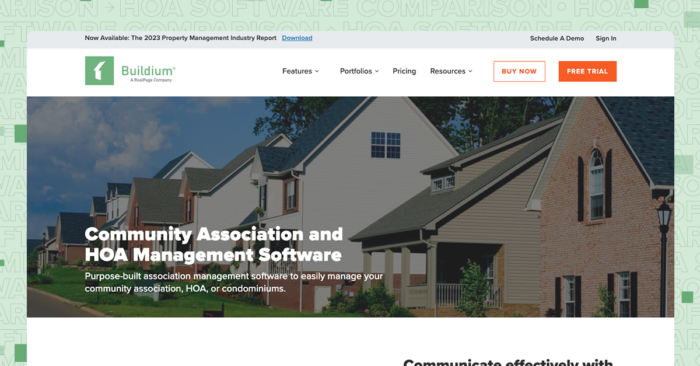
Buildium gives community association managers a single platform to handle accounting, communications, violations, maintenance, and board reporting.
CAMs managing dozens or hundreds of associations can run daily operations from one dashboard, and homeowners and board members get self-service access to payments, documents, and violation status. The platform scales from smaller portfolios up to several thousand doors.
Features
Buildium covers the operational needs CAMs deal with day to day, from collecting dues to coordinating with boards.
- Association accounting: Track dues, assessments, and payables in a full general-ledger system. Automated bank reconciliation matches transactions, and the chart of accounts supports fund-based reporting.
- 1099 e-filing: Generate and file 1099s for vendors directly from the platform at year-end, which saves time over manual preparation.
- Advanced automation and AI-powered tools: Automate routine tasks, generate communications, and surface insights across your portfolio with built-in AI that learns from your workflow and reduces manual data entry.
- Violation tracking and ARC requests: Log violations from the field with photos, send automated notices, and let homeowners view and resolve violations in their portal. Homeowners can also submit architectural review requests for board or committee review.
- Resident Center portal: Homeowners pay dues, submit maintenance requests, and access documents from a self-service portal. Board members review financials, approve bills, and download reports without waiting on your office.
- Homeowner and board communications: Send announcements by email, text, mail, or portal notification. Share meeting minutes, budgets, and rule changes with the right audience.
- Maintenance requests: Homeowners submit requests through the portal, and managers assign work orders to vendors, track status, and attach documentation.
- A marketplace of integrations and an open API: Connect to accounting tools, payment processors, and other services through pre-built integrations. The open API allows custom workflows for larger operations.
- All Property Management for lead management: Links managers with owners and boards looking for management services, helping CAMs grow their client base.
- Associations performance analytics: Dashboards surface community financial and operational KPIs, giving CAMs and boards visibility into community health.
Pricing
Buildium offers three pricing tiers, and all plans include accounting, maintenance, task management, violations, online portals, and resident and board communications.
- Essential: Starts at $62/month. Includes core accounting, maintenance, and leasing, with basic communications and an AI assistant.
- Growth: Starts at $192/month. Adds reporting automation, customization options, lower EFT costs, and AI-enhanced communications and analytics.
- Premium: Starts at $400/month. Includes an open API, the full AI and automation suite, and first year free incoming EFT.
Buildium also offers a guided demo and 14-day free trial with no credit card required.
2. HomeWiseDocs
Best for Managing Resale Documents
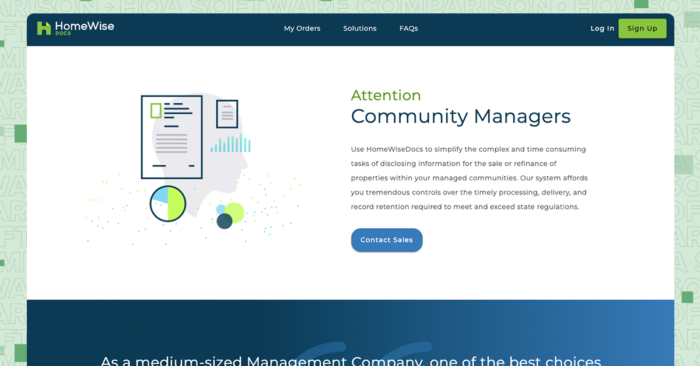
HomeWiseDocs focuses on resale and disclosure documents for association transfers. Title companies, attorneys, and buyers order documents through the platform, and the system routes requests to the appropriate manager. For CAMs handling associations with frequent property sales, the platform reduces the manual work of fulfilling document requests.
Features
HomeWiseDocs handles the resale document workflow from request to delivery.
- Document ordering portal: Title companies and closing agents order resale certificates, estoppels, and disclosure packages online.
- Request routing: Incoming requests go to the right manager based on the association, reducing missed or misdirected orders.
- Status tracking: Managers and requesters see order status and deadlines in real time.
- Digital delivery: Completed documents are delivered electronically, speeding up closings.
Pricing
HomeWiseDocs operates on a requester-paid model, meaning the party ordering documents pays per-document fees. There is no cost to managers for using the platform.
3. Property Meld
Best for Maintenance Operations
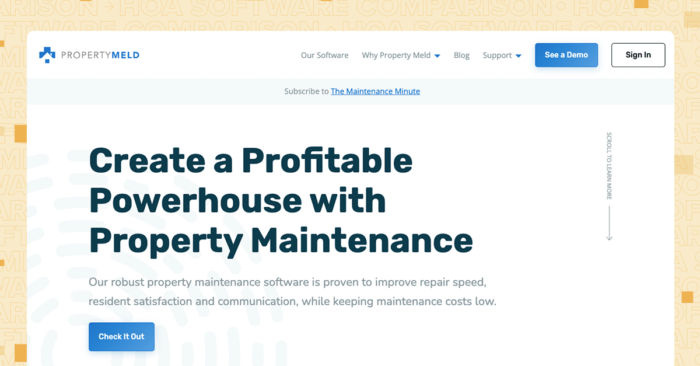
Property Meld specializes in maintenance coordination for property managers and community associations. The platform handles work order intake, vendor assignment, scheduling, and status tracking. Property Meld integrates with Buildium, so CAMs can add maintenance automation while keeping their existing management system.
Features
Property Meld focuses on the maintenance workflow from request to completion.
- Work order management: Receive requests from residents, create work orders, and track status through completion.
- Vendor coordination: Assign jobs to vendors, communicate schedules, and confirm completion.
- Resident communication: Automated updates keep residents informed of appointment times and progress.
- Analytics: Reports track response times, vendor performance, and maintenance costs.
- Buildium integration: Syncs maintenance data with Buildium for a connected workflow.
Pricing
Property Meld prices by unit count with a monthly minimum.
- Core: Starting at $1.60 per unit per month. Includes repair intake, emergency screening, work order documentation, maintenance coordination, customizable workflows, communication tools, and an owner portal.
- Ops: Starting at $2 per unit per month. Includes everything in Core, plus repair-cost projections, advanced maintenance analytics through Insights Pro, and additional decision-support tools.
- MAX On-Call: Priced at $1.50 per unit per month. The add-on handles after-hours maintenance intake, emergency screening, documentation, and routing.
4. LeapAP
Best for Automating Accounts Payable
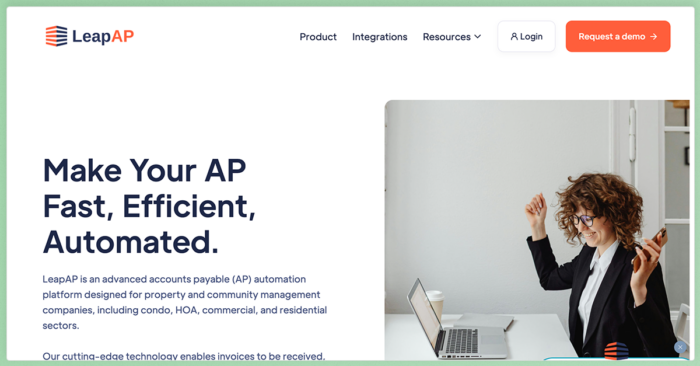
LeapAP (formerly CondoWorks) specializes in accounts payable automation for community associations. The platform digitizes invoice intake, approval routing, and payment processing. LeapAP integrates with Buildium, so CAMs already using Buildium for association management can add AP automation without switching core systems.
Because LeapAP focuses on accounts payable, it does not cover dues collection, violation tracking, or resident portals on its own.
Features
LeapAP addresses the invoice-to-payment workflow.
- Invoice capture: Invoices arrive via email or upload and are digitized for processing.
- Approval workflows: Route invoices to the appropriate approvers based on amount, vendor, or association rules.
- Payment processing: Issue payments electronically or by check from within the platform.
- Buildium integration: Syncs AP data with Buildium for managers using both systems.
Pricing
Pricing is not publicly available. LeapAP offers custom quotes based on volume and integration needs.
5. Condo Control
Best for Communication-Heavy Communities
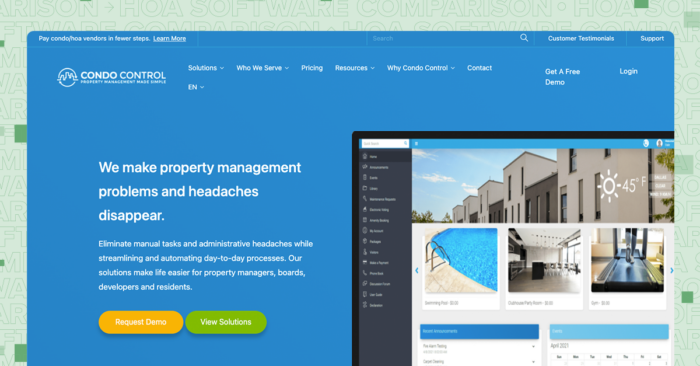
Condo Control targets condominiums and HOAs where communication and amenity management are top priorities. The platform includes announcement tools, amenity booking, visitor management, and security features. For communities with pools, gyms, clubhouses, or package lockers, Condo Control centralizes those workflows.
Accounting features are limited compared to platforms built for full financial management, so CAMs needing trust accounting or detailed board reporting may need an additional system.
Features
Condo Control covers communication, amenity, and security workflows for associations.
- Announcements and notifications: Send messages to residents via email, text, or in-app notification.
- Amenity booking: Residents reserve common spaces online, and managers set availability and rules.
- Visitor and package management: Track guests and deliveries with digital logs and notifications.
- Security integrations: Connect with access control systems for gated communities.
- Board and committee tools: Manage meeting agendas, voting, and document sharing for governance tasks.
Pricing
Pricing starts at $67.50 per month for under 50 units for self managed associations. Pricing for management companies is based on custom quotes, so you’ll have to reach out to their team directly.
6. PayHOA
Best for Small, Self-Managed Communities
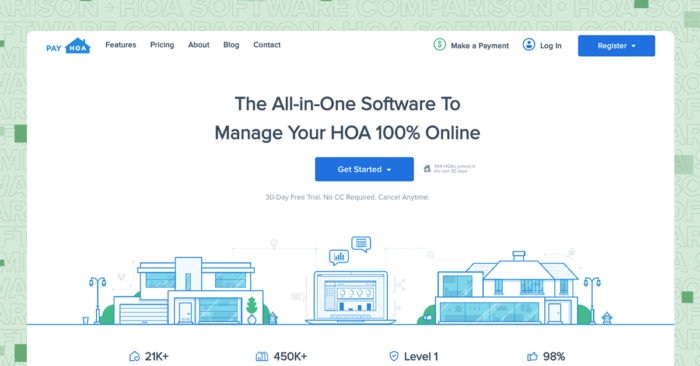
PayHOA targets self-managed HOAs and smaller management companies with straightforward, unit-based pricing. The platform covers dues collection, accounting basics, communications, and violation tracking without requiring a large implementation. For volunteer boards or managers handling a handful of associations, the learning curve is minimal.
PayHOA works well for smaller portfolios but may lack the depth of reporting and customization that CAMs with hundreds of doors need.
Features
PayHOA handles core association management tasks with a focus on simplicity.
- Invoicing and payments: Bill homeowners for dues and assessments and accept online payments via ACH or card.
- Accounting and budgeting: Track income and expenses with basic general-ledger tools, and generate budget reports.
- Violations: Log violations, send notices, and track resolution status.
- Mass communication: Reach homeowners by email, text, or phone, and post messages to community boards.
- Document storage and voting: Store governing documents and run online surveys or votes.
Pricing
PayHOA prices by unit count, with monthly and annual billing options. Annual plans run approximately 10% lower than monthly rates.
- 1–25 units: $49/month billed yearly ($54/month if billed monthly)
- 26–50 units: $59/month billed yearly
- 51–100 units: $99/month billed yearly
- 101–150 units: $129/month billed yearly
- 151–200 units: $169/month billed yearly
- 201–300 units: $199/month billed yearly
- 301–400 units: $229/month billed yearly
- 401–500 units: $249/month billed yearly
- 500+ units: $0.55 per unit per month ($275/month minimum)
7. EasyHOA
Best for Small, Self-Managed Associations
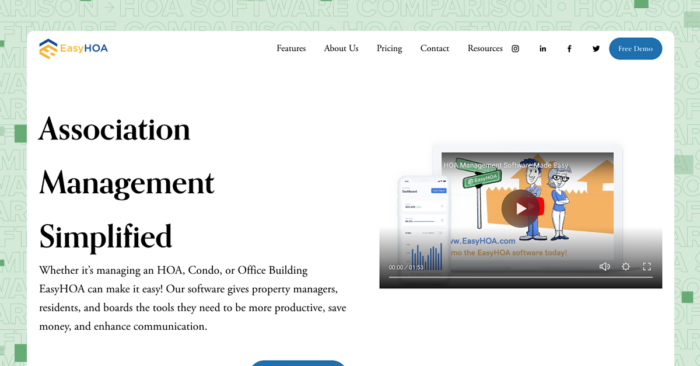
EasyHOA offers all-inclusive pricing with every feature available at every tier, making it simple for small associations and managers to get started without worrying about add-on costs. The platform covers accounting, communications, violations, and document storage in a single package.
EasyHOA does not have a public API, and the platform is built primarily for smaller associations. CAMs managing larger or more complex portfolios may find the reporting and integration options limited.
Features
EasyHOA bundles association management features into a single package at all price points.
- Accounting: Track income, expenses, and fund balances with general-ledger tools.
- Dues billing and payments: Invoice homeowners and accept online payments.
- Violations: Log and track violations with notice automation.
- Communications: Send announcements to homeowners via email or portal.
- Document storage: Store and share CC&Rs, minutes, and financial statements with role-based access.
Pricing
EasyHOA prices by unit count, with all features included at every tier.
- 1–25 units: $49/month
- 26–50 units: $69/month
- 51–100 units: $89/month
- 101–150 units: $99/month
- 150+ units: Custom pricing
8. ManageCasa
Best for Mixed Portfolios and Daily Operations
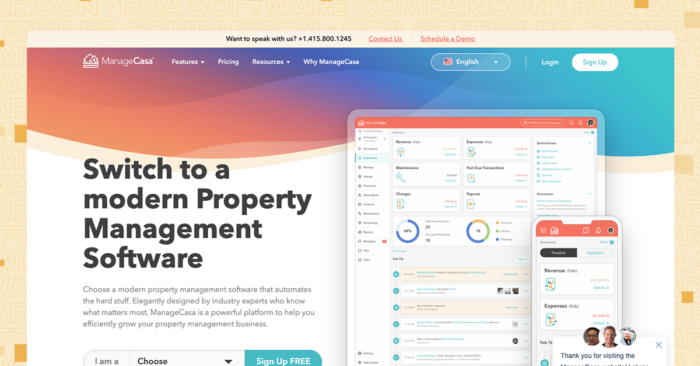
ManageCasa supports managers running both rental properties and community associations, with built-in accounting, a global search function, and workflows for daily operations. The platform consolidates multiple property types in one system, which may appeal to CAMs with mixed portfolios.
Some capabilities are capped by tier, so managers should confirm that their plan includes the features they need before committing.
Features
ManageCasa covers property and association management in one platform.
- Accounting: Full general-ledger accounting with income and expense tracking, bank reconciliation, and reporting.
- Dues and rent collection: Invoice homeowners and residents and accept online payments.
- Global search: Find residents, transactions, and documents across properties with a single search.
- Communications: Send announcements and messages to residents via the platform.
- Maintenance tracking: Log and assign work orders and track completion.
Pricing
ManageCasa prices by tier and unit count, with annual billing running lower than monthly rates. The prices below are for the first 1–25 units billed yearly.
- Base: $45/month
- Growth: $80/month
- Premium: $130/month
How to Choose the Right HOA Management Software for Your Business
Start with your portfolio size and how much accounting you handle in-house. If your operation runs trust accounting, reconciles bank statements, and produces board financial packages, you need a platform with a full general ledger and fund-based reporting. Managers relying on outside accountants or simpler workflows may get by with lighter tools.
Next, consider how much communication and self-service your associations expect. Boards and homeowners increasingly want online access to financials, violations, and documents. A platform with resident and board portals reduces inbound calls and emails and gives everyone visibility between meetings.
Think about where your business is headed. If you plan to add associations, look for software that scales without a major jump in cost or complexity. Integration options matter, too. Connecting your core platform to payment processors, maintenance tools, or an open API gives you room to customize.
For CAMs who need accounting, violations, maintenance, board portals, and communications in one place, Buildium handles those workflows and supports portfolios from a few dozen doors to several thousand. The marketplace of integrations and open API allow you to extend the platform as your needs grow.
The Right Platform Helps Your Associations Run More Efficiently
A platform that fits your portfolio reduces manual work, keeps boards informed, and gives homeowners the self-service access they expect. The eight options in this article cover different needs, from resale documents and maintenance coordination to full association management with accounting and violations.
Buildium brings accounting, communications, violations, maintenance, and board reporting into one system built for professional CAMs.
If you want to see how it fits your workflow, you can try Buildium with a 14-day free trial or schedule a guided demo to walk through the features with a product specialist.
Frequently Asked Questions about HOA Software
Why Use HOA Management Software?
HOA management software centralizes the daily work of running associations. Managers spend less time on manual tasks, boards get financial transparency, and homeowners can pay dues and access documents without calling the office. The result is more time for the work that grows your business.
How Do You Define the Best HOA Software?
The best software depends on your portfolio. A platform that handles accounting, violations, communications, and board portals in one place suits most professional CAMs. Managers with specific needs, such as high resale volume or maintenance-heavy communities, may add specialized tools.
What Key Features Should I Look for in HOA Management Software?
Look for association accounting with bank reconciliation, online dues and assessment collection, violation and ARC tracking, maintenance request management, document storage with permissions, and portals for homeowners and board members. Integration options and an open API are valuable for larger or growing operations.
How Much Does HOA Management Software Cost?
Pricing varies by platform and portfolio size. Entry-level plans for smaller portfolios start around $45 to $62 per month. Larger portfolios and advanced features cost more. Some platforms, such as Condo Control, price by quote. Request quotes from your shortlist to compare total cost based on your unit count and needs. ased on your unit count and needs.